Managing Work Time
This section discusses how to track an employee's work time.
Pages Used to Manage Work Time
| Page Name | Definition Name | Usage |
|---|---|---|
|
Overall Data Page |
FPAEEWORKRT_PNL1 |
Enter an action that affects the employee's working time. |
|
Working Time Page |
FPAEEWORKRT_PNL2 |
Track an employee's working time. |
Working Time Page
Use the Working Time page (FPAEEWORKRT_PNL2) to track an employee's working time.
Navigation:
This example illustrates the fields and controls on the Working Time page. You can find definitions for the fields and controls later on this page.
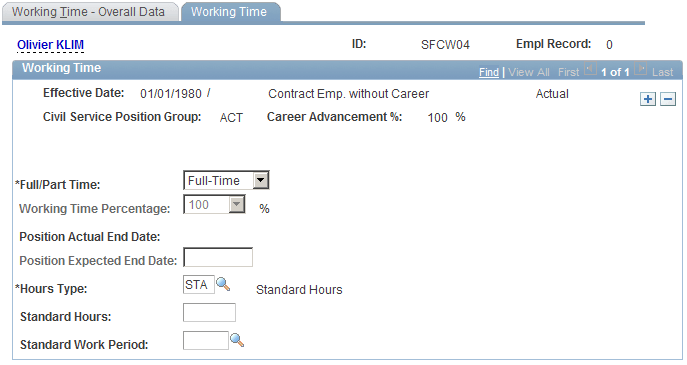
| Field or Control | Description |
|---|---|
|
Full//Part Time |
Indicate if the employee is full-time or part-time. |
|
Working Time Percentage |
Select a working-time percentage for part-time employees. |
|
Position Actual End Date |
Displays the Position Expected End Date, minus 1 day. |
|
Position Expected End Date |
Enter an expected end date. This field is either required or optional, depending on the action that you have inserted. |
|
Hours Type |
Select the type of hours; for example, STA (standard hours). |
|
Standard Hours |
Enter the number of hours that the employee works per standard work period. |
|
Standard Work Period |
Select the length of the standard work period, such as a weekly. |