Using History
When you calculate plan eligibility, a custom statement evaluates the eligibility requirements over time and builds a timeline of eligible and ineligible periods. This feature is key to implementing your plan rules. To use it, select the History check box under any effective-dated variable.
For example, suppose you are setting up a group for full-time employees, as illustrated here:
This illustration shows a plan eligibility custom statement where the History check box is selected for the field where an employee’s full-time or part-time status is stored.
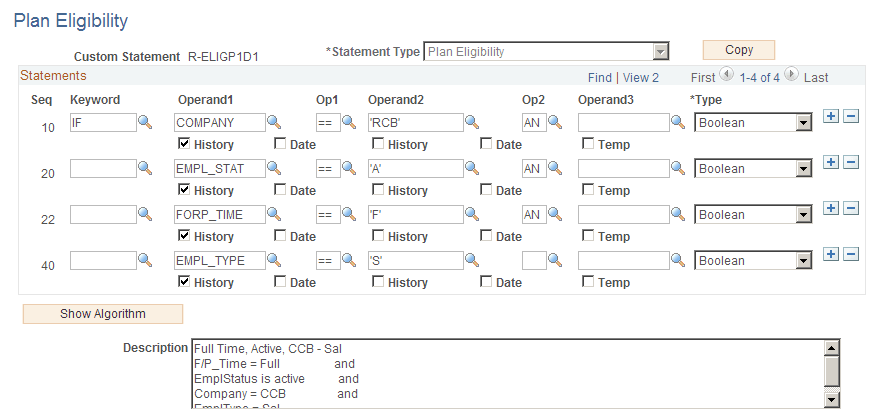
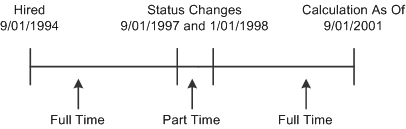
Because History is selected under the alias FORP_TIME, the system looks at an employee's full- or part-time status over time when determining eligibility. If Julius Jones works part-time for three months, the plan eligibility function produces the following three work history segments:
This timeline illustrates an employee’s full-time and part-time history. The employee started out working full-time, then changed to part-time for a while, then returned to full-time.