Search Applications (Classic) Pagelet
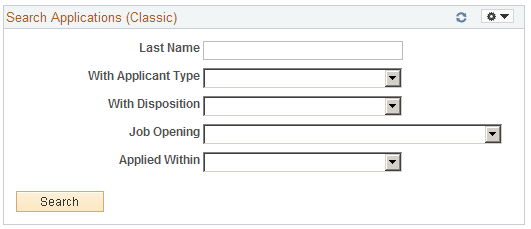
Use the Search Applications (Classic) pagelet (HRS_PE_APP_SRCH) to perform quick application searches based on a limited set of criteria fields.
This example illustrates the Search Applications (Classic) pagelet.
| Field or Control | Description |
|---|---|
|
Last Name and With Applicant Type |
Use these search criteria fields to search applications based on applicant-specific criteria, including the applicant’s last name and applicant type. Because an applicant can have multiple applications, searches based only on applicant data can show multiple results rows for a single applicant. |
|
With Disposition and Applied Within |
Use these search criteria fields to search applications based on application-specific criteria, including the applicant’s disposition and how recently the application was submitted. |
|
Job Opening |
Use this search criteria field to search applications based on the job opening. The drop-down list box shows the user’s 100 oldest open job openings (based on the job creation date). To search for a job opening that is not in the list, use the Search Applications page. |
|
Search |
Click to perform the search. The search results appear on the Search Applications page. |