Errors Schedule Assignment Report
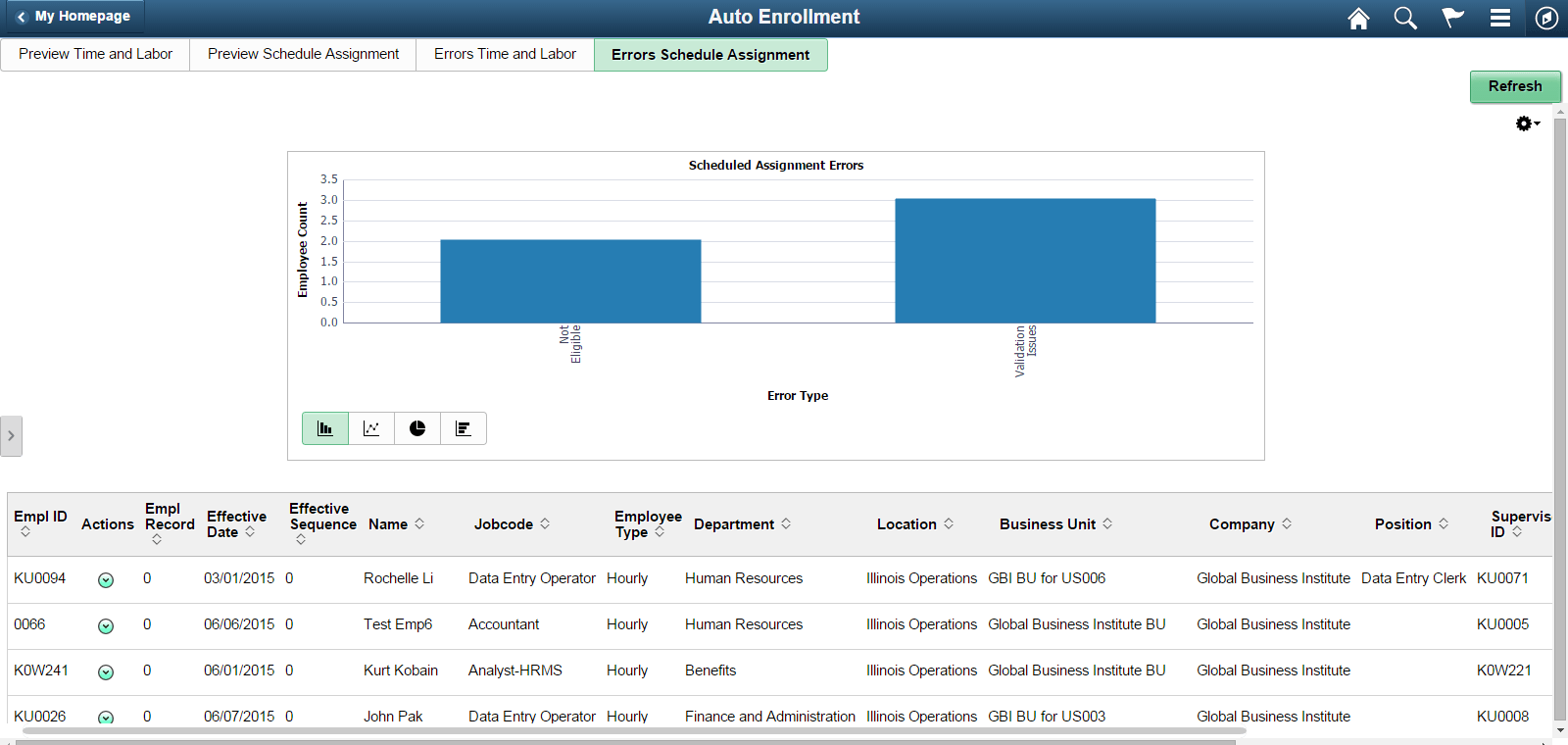
Errors which are encountered during schedule assignments are classified into the following categories Eligibility Error, Not Eligible, and Validation Issues.
This bar chart is depicted with Error Type on the x-axis and the employee Count on the y-axis.
Navigation:
Tap theErrors Schedule Assignment tab on the Auto Enrollment page.
This example illustrates the fields and controls on the Errors Schedule Assignment page.
| Field or Control | Description |
|---|---|
|
|
Preview Error Detail and Job Data as required. The user can view the Schedule Group and Notify the recipients using different delivery methods. |

Select anywhere on the chart to drill down the data. By default, you can use the drill down options Position, Union Code, Employee Type and Job code.
Note:
Schedule assignments are done only at the time of hire or during first time enrollments, and thus Error type of Retro and Job Deletion are not applicable for Schedule Assignments
The Details grid shows the information about the employee for whom error exists and field values for Employee ID, Employee Record, Effective date, Effective Sequence, Name, Employee Type, Department, Location, Jobcode, Union Code, Position, Business Unit, Company, Supervisor ID, and Error Type, and Error Open Since.