Example: Time and Labor WorkCenter
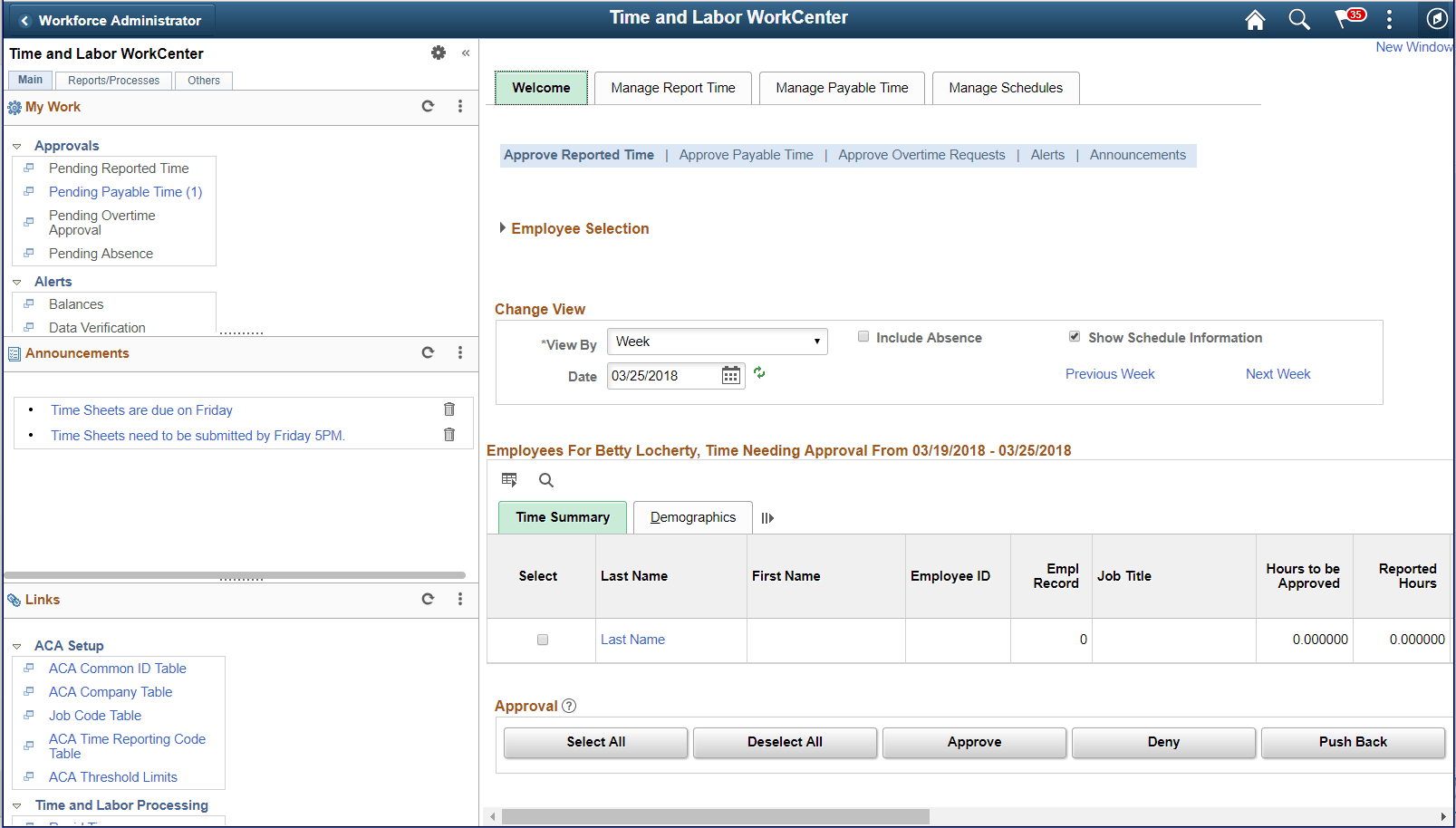
This example illustrates the fields and controls on the Time and Labor WorkCenter page.
Note:
Your WorkCenters may appear slightly different. This page shot is provided as a general example of a Time and Labor WorkCenter.
The WorkCenter navigation is located on the left side of the page and includes two main tabs: Main and Report/Processes. Some WorkCenter pagelets are common to multiple applications, and some pagelets are unique to individual applications.
Oracle’s PeopleSoft development has predefined My Work links that are available to import.
WorkCenter Tabs and Pagelets
The two primary tabs within a WorkCenter contain some common pagelets:
-
Main tab:
-
My Work
-
Links
-
-
Reports/Processes:
-
Queries
-
Reports/Processes
-
WorkCenters also provide a Welcome pane, which is displayed on the right side of the screen. A Welcome page explains some of the basic icons that are used throughout the WorkCenter. If a system administrator or an end user (if given access rights) selects the Starting Page check box on the Configure Pagelets component for My Work, Links, Queries, or Reports/Processes, then the option selected replaces the Welcome page in this pane.