Web Clock - Enter Punch Page
Use the Web Clock - Enter Punch page (TL_WEBCLK_ENTR_PCH) to enable employees to enter a single In, Break, Meal, Out, or Transfer punch.
Employees can provide time and task detail when entering punches. Includes links to pages for viewing overtime requests and the holiday schedule.
Navigation:
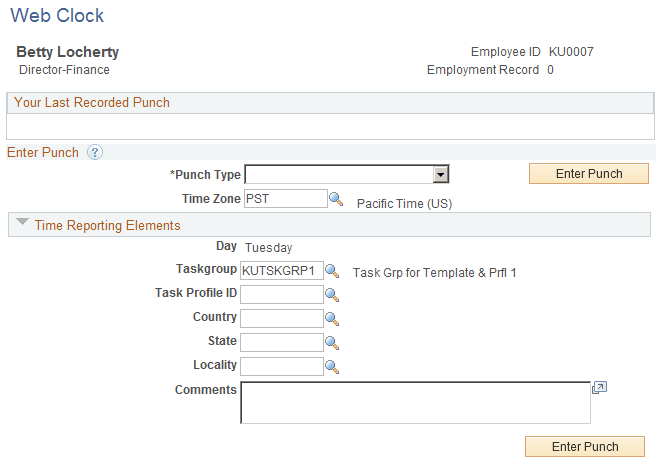
This example illustrates the fields and controls on the Web Clock - Enter Punch page. You can find definitions for the fields and controls later on this page.
| Field or Control | Description |
|---|---|
|
Punch Type |
Select a punch type: In, Out, Meal, Break, or Transfer. |
|
Enter Punch |
Click after you've selected the punch type and entered element and task information. The system uses the current date and time for the punch and applies the same validations that are used for the Timesheet page. |
|
Time Zone |
By default, the system uses the employee's time zone as defined on the Create Time Reporter Data page in Time and Labor; you can override the time zone during data entry. |
Task Reporting Elements
These fields only apply to In and Transfer punches.