1.13 Installing PeopleSoft Global Payroll PDF Form Files
This section details how to load the PDF Form Files for use in the PeopleSoft Global Payroll for Switzerland product. Complete this task if you have licensed the PeopleSoft Global Payroll for Switzerland product.
To load the PDF Form Files for use with PeopleSoft Global Payroll for Switzerland:
-
Copy the files *.pdf from the PeopleSoft SQR directory to your local hard drive.
-
Enter Upload Form Definition CHE in the keyword input field of the Global Search bar. As you type, the suggestions are updated to reflect the search term or terms you have entered.
-
Select Upload Form Definition CHE from the search suggestions.
Note:
To navigate to the page using the Navbar button, select Set Up HCM, Product Related, Global Payroll and Absence Mgmt, Reports, Upload Form Definition CHE.
-
Use the following table to select the Form IDs for your PeopleSoft Global Payroll for Switzerland:
PeopleSoft Product Form ID Effdt Filename Global Payroll for Switzerland
LAW-C1
01/01/2004
BETEILIGUNGEN.pdf
Global Payroll for Switzerland
LAW-P1
01/01/2004
_11lohna_3-dfi_25-08-06.pdf
Global Payroll for Switzerland
LAW-P1B
01/01/2004
_11lohna_3-dfi_25-08-06b.pdf
Global Payroll for Switzerland
LAW-P1EDIT
01/01/2004
_11lohna_3-dfi_300913_edit.pdf
Global Payroll for Switzerland
LAW-P2
01/01/2004
_11lohna_3-dfi_25-08-06_x.pdf
-
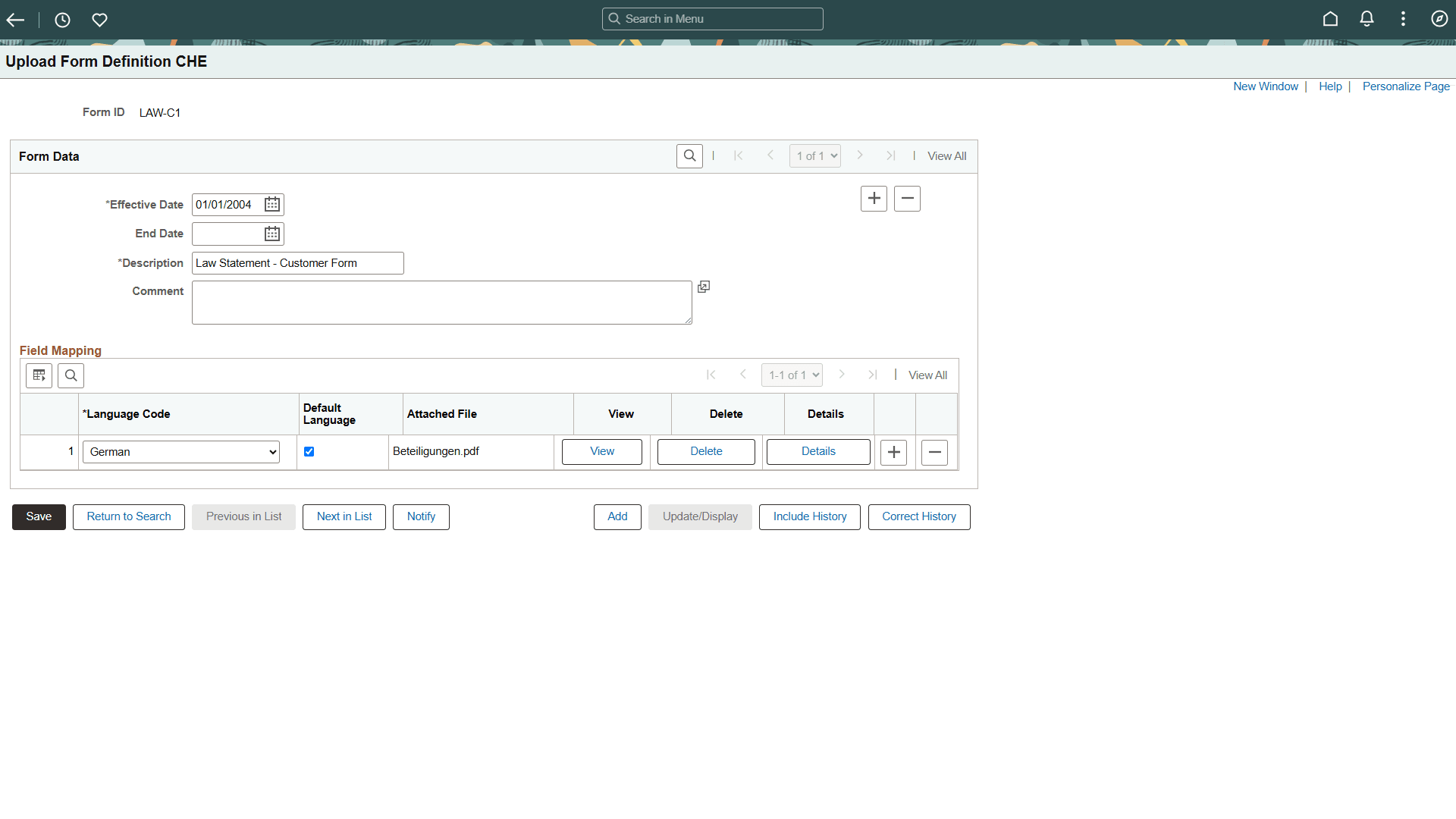
For each Form ID, click the Delete button, as shown in this example:
Figure 1-11 Upload Form Definition CHE page
-
Click Save.
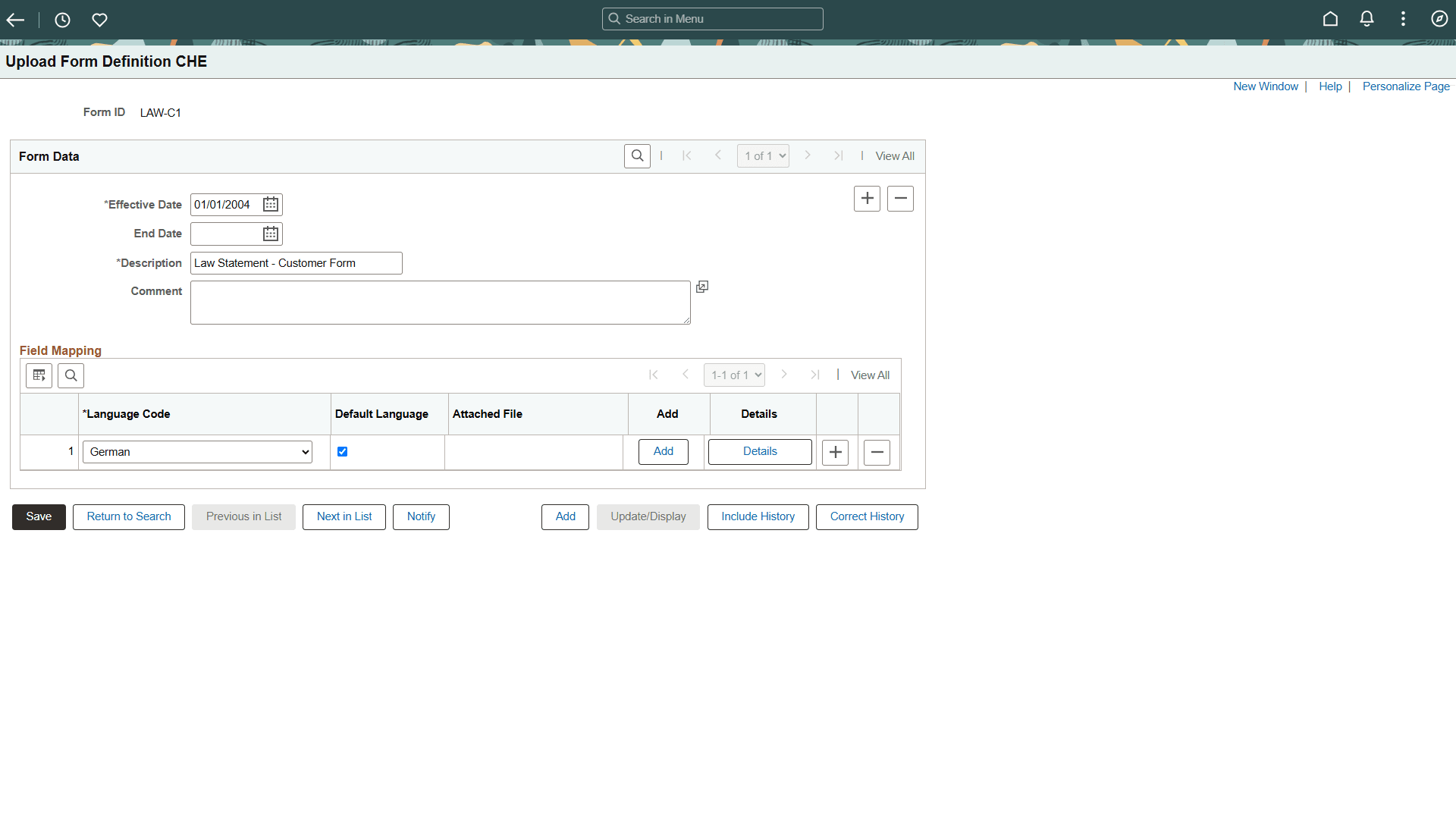
The Add button appears, as shown in this example:
Figure 1-12 Upload Form Definition CHE Page showing Add button
-
Click Add.
-
Navigate to the PDF Form File that you saved on your hard drive, select the file and click the Upload button.
-
Click View to verify that the form is correctly loaded.