Adding the Chatbot for a New Skill to a PeopleSoft Page as a Tile
To create and enable the tile for the chatbot for a new skill:
-
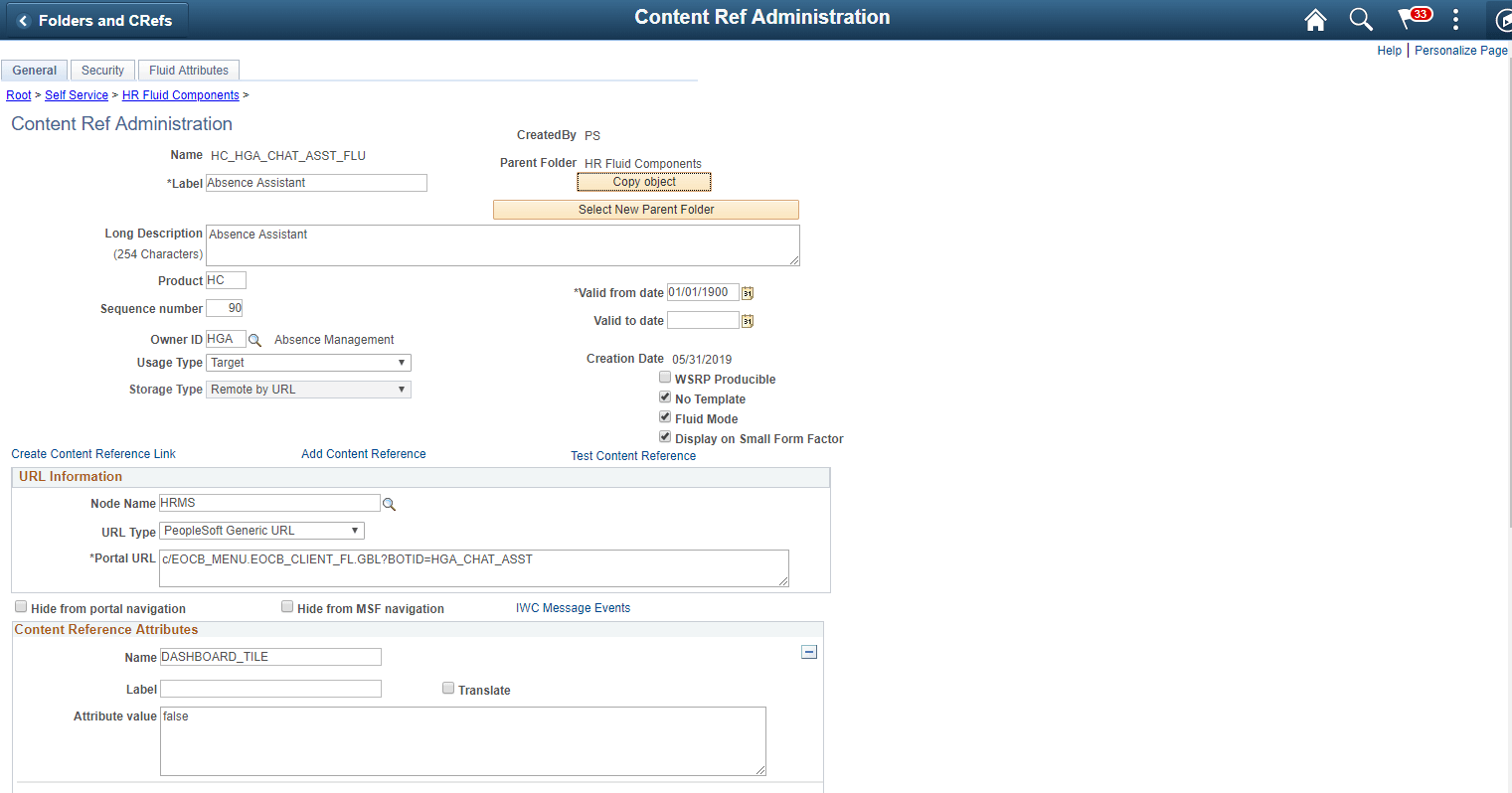
Create a new Content Reference to create the tile for the chatbot. See Administering Content References section under Portal Technology in the PeopleTools Online Help.
-
In the General tab, Under URL Information section, choose URL Type as PeopleSoft Generic URL
-
At the end of the URL, enter the text BOTID=<BotID> where <BotID> is the ID of the Bot definition.
-
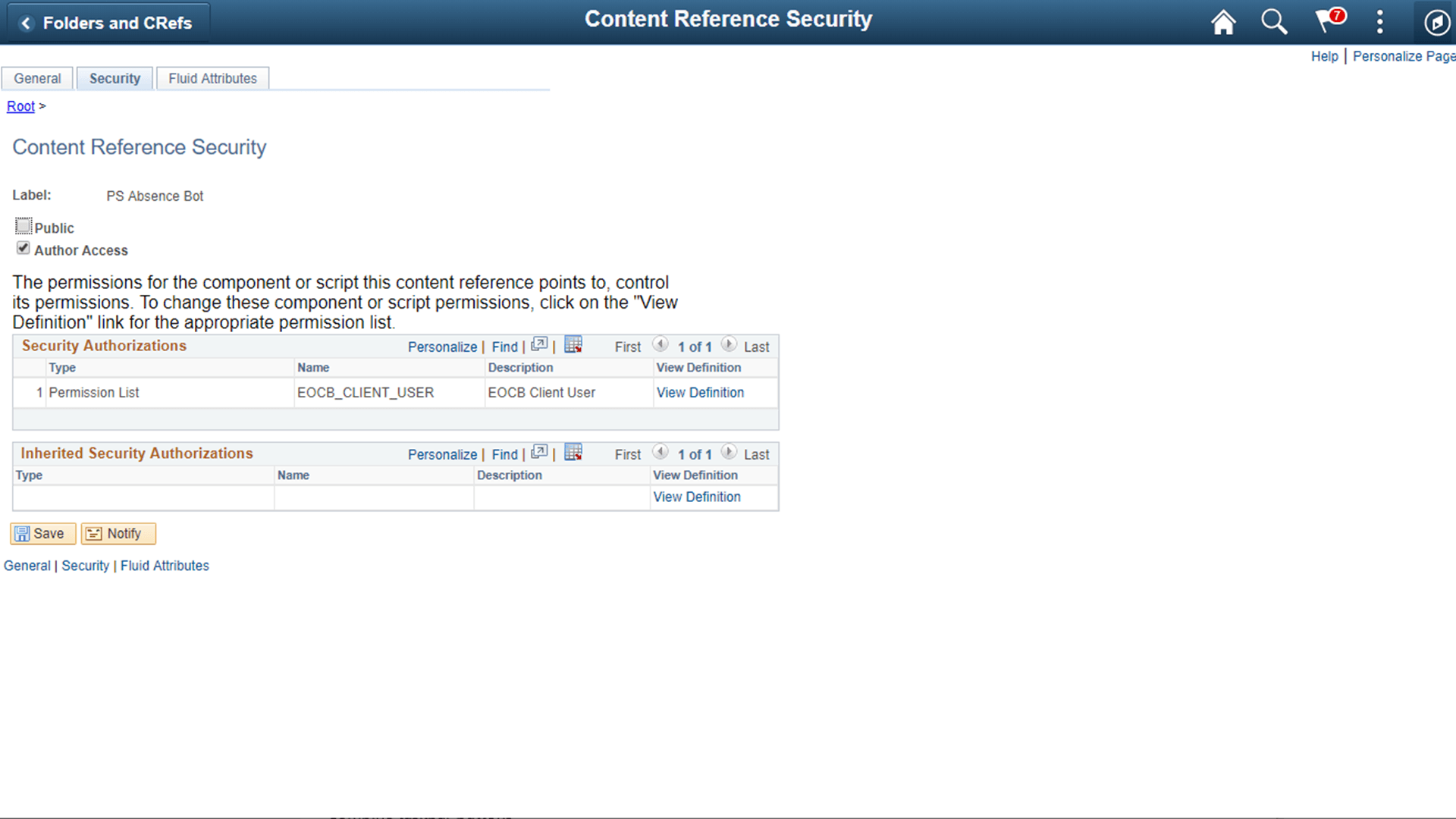
In the Security tab, ensure that the permission list EOCB_CLIENT_USER is added. Also add the roles that were added to the Bot ID in the Maintain Bot Definition Page
-
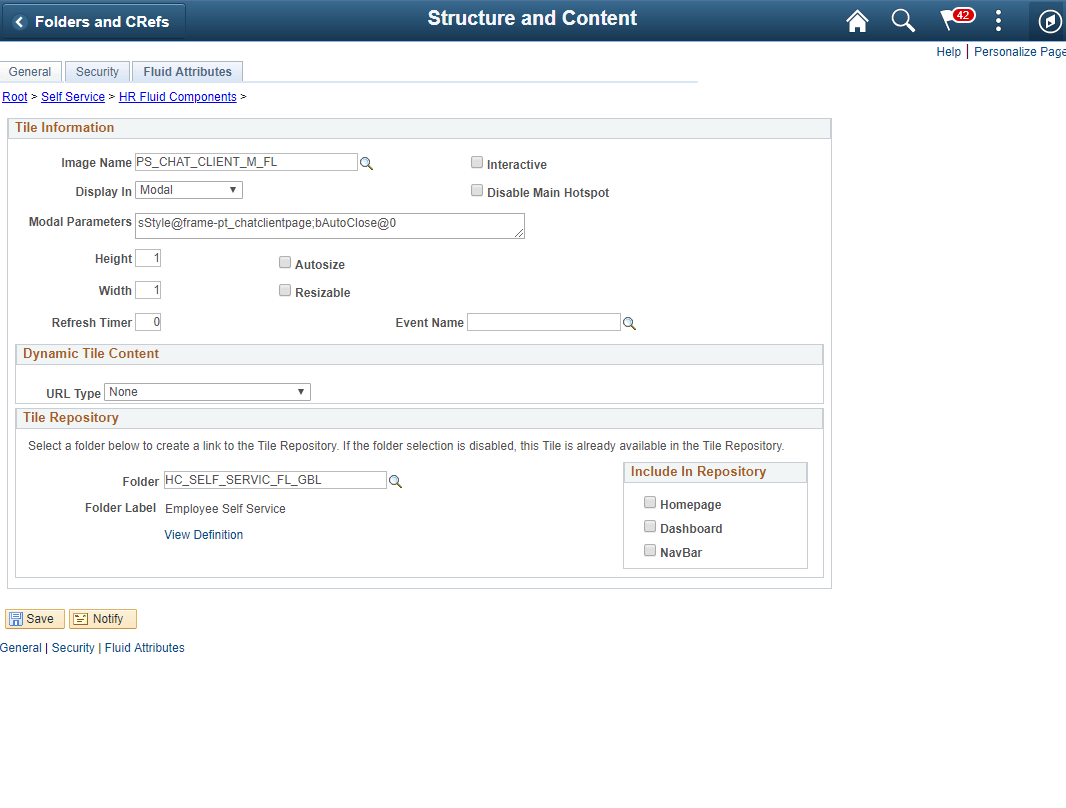
In the Fluid Attributes tab, select the Display In field value as Modal.
Content Reference General tab.
This example illustrates the Content Reference Security tab.
This example illustrates the Content Reference Fluid Attributes tab.
Once this is done, Add the tile to the relevant homepages.
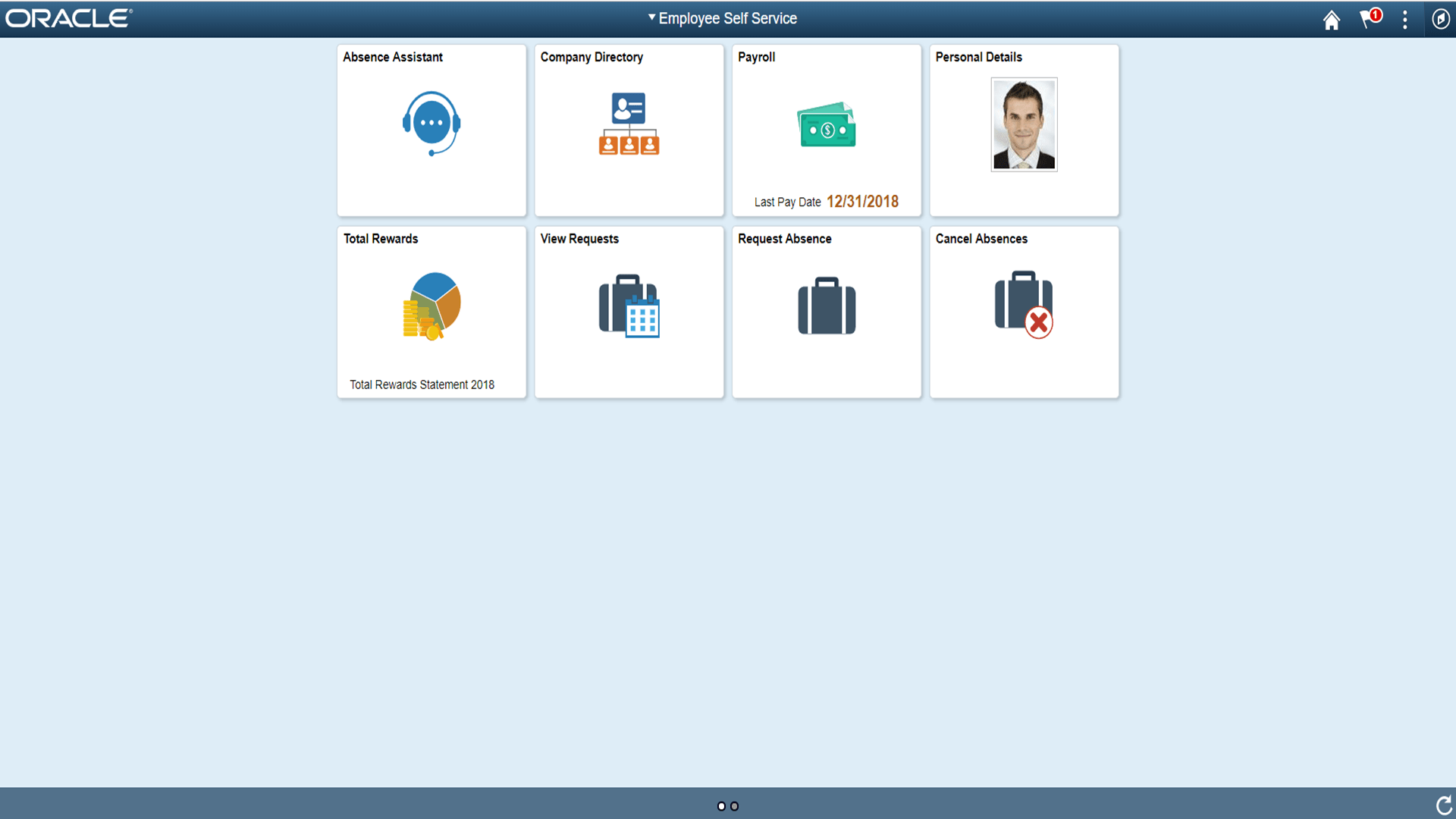
This example illustrates the Chatbot tile on a homepage