Maintain Category Page
Use the Maintain Category page (EODP_CTGRY_DTLS_FL) to view, modify or add a new category value.
Navigation:
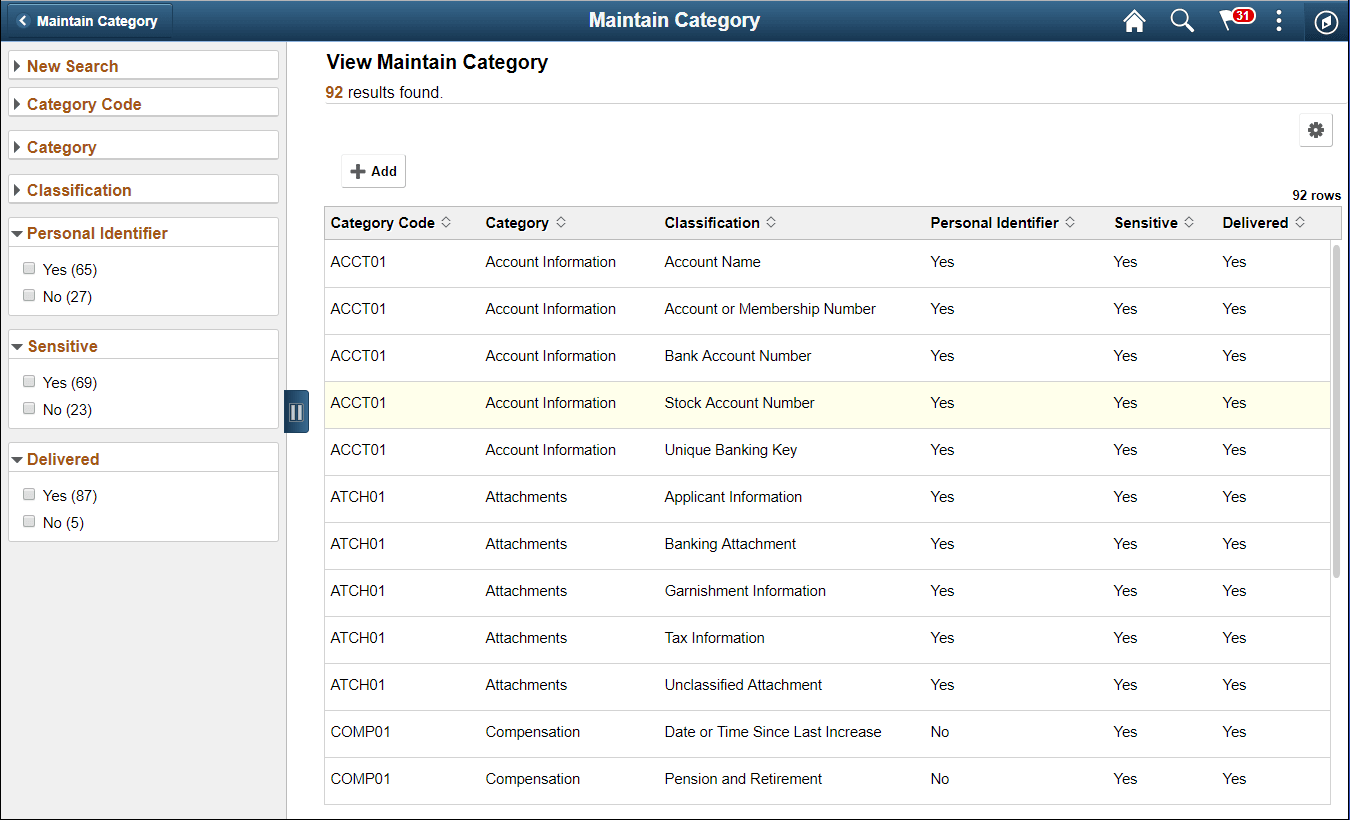
Using the search page on the left panel, you can search for Categories or add new Categories. Additional facets and filters are provided to refine search results.
Categories are used to functionally group information captured in PeopleSoft System. For example, Category- Contact Details is used to identify all Record Fields storing Contact information such as Phone Number, Email ID or Fax. Classifications are used to sub-categorize this information into more specific groups. Classifications for Category- Contact Details include Business Email, Personal Phone and Instant Messaging Address.
This initial page for View Maintain Category is used to search the classifications and categories and add a new one as needed.
Note:
System Data is delivered for Categories and Classifications. System data cannot be deleted, but it can be modified or new data added. Also the Categories being referenced in the Maintain Data Privacy Settings cannot be deleted.
The left panel lists the facets for component real time search and other options as listed:
-
Category Code
-
Category
-
Classification
-
Personal Identifier
-
Sensitive
-
Delivered
The search right panel lists all delivered categories and any categories that you have added. Delivered flag is turned on for all the Categories which are delivered as System data.
| Field or Control | Description |
|---|---|
|
|
Select to add a new category. You can enter Category Code and Category Name to the modal and Add to create a new category. This opens the Maintain Category Page. |

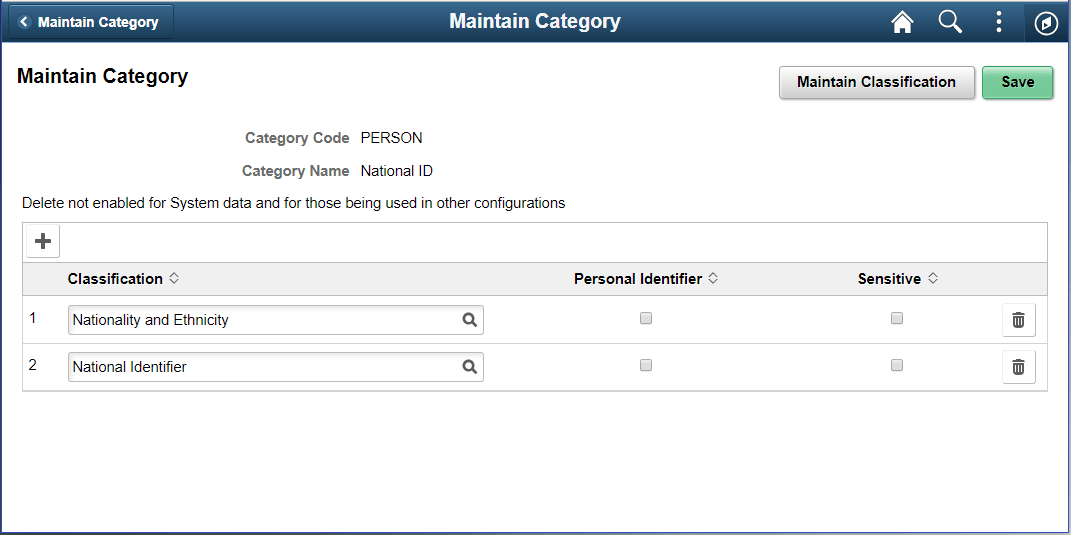
The Maintain Categories page lists Classifications mapped to a Category. System data and Classifications being used in Maintain Data Privacy Settings cannot be deleted from this page. This example illustrates the fields and controls of Maintain Category page.
| Field or Control | Description |
|---|---|
|
|
Select to add a new classification to the category list. Here you can mark the classification specified as Personal Identifier or/and Sensitive accordingly. |
|
|
Select to open Maintain Classification Page. |