View Reference Page — Reports Tab
Use the View References (EODP_VIEW_REF_FL) page Reports tab to view the Report References in Business Intelligence Publisher Reports (BIP) and Structured Query Reports (SQR).
Navigation:
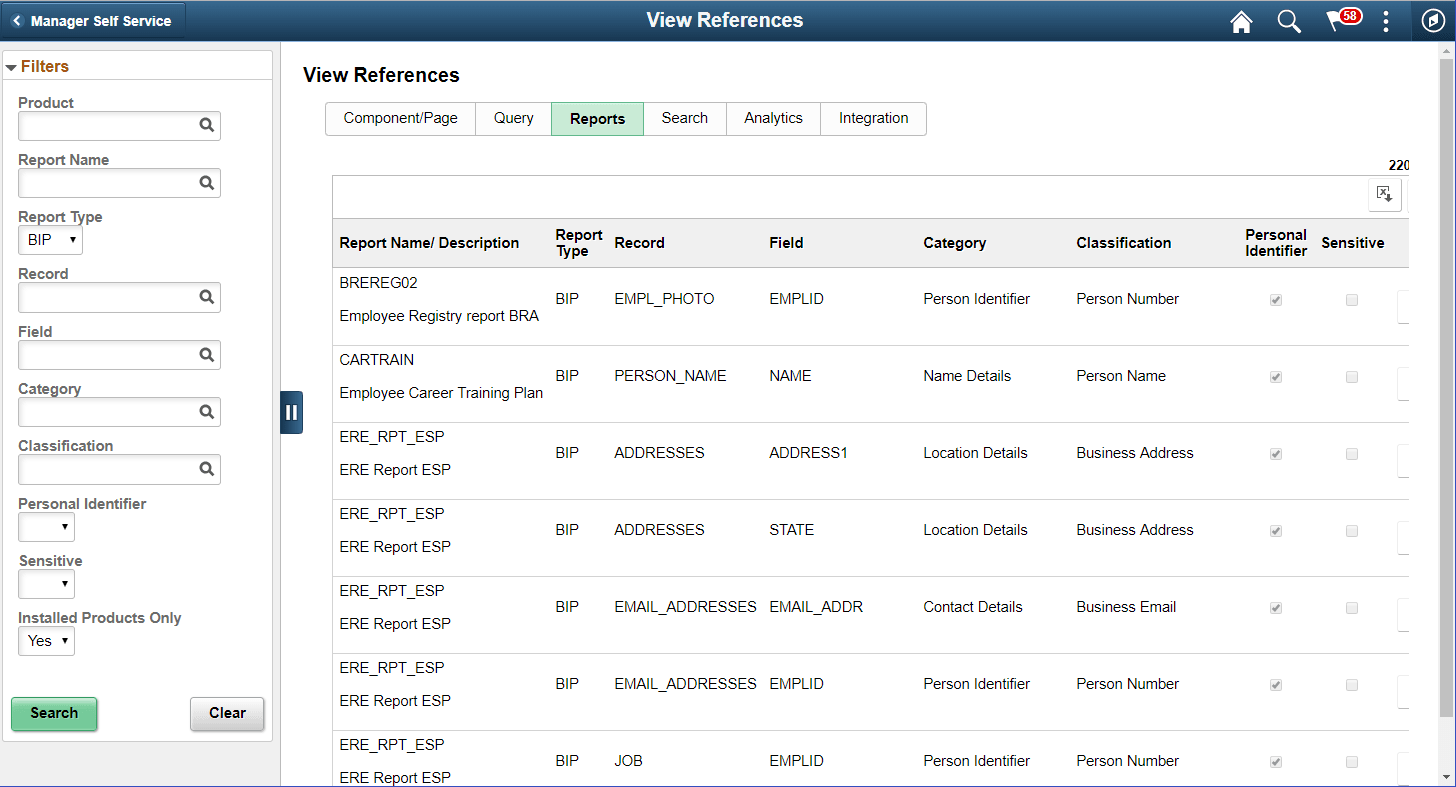
Select Report Type as BIP to view references in BI Publisher Reports.
This example illustrates the fields and controls on the View References — Reports Tab for Report Type BIP.
Select Report Type as SQR to view references in SQR Reports.
Note:
Data Privacy Framework uses File Pre-Processor to load Record Field references in SQR files. This utility is bundled with PeopleSoft Change Impact Analyzer. For details, refer to File Pre-Processor topics in the PeopleSoft Change Impact Analyzer product documentation. System data for Oracle delivered SQRs is pre-delivered. This data gets loaded when Update References is run for Reference type - Reports. Customers on PeopleTools patches 8.55.26/8.56.12 or higher have the ability to generate references for Record Fields used in all the SQR files they maintain. To do this, File Pre-Processor should be run in your environment prior to running Update References with the Refresh option selected.WARNING:
File Pre-processor is process intensive and may continue to run for some time.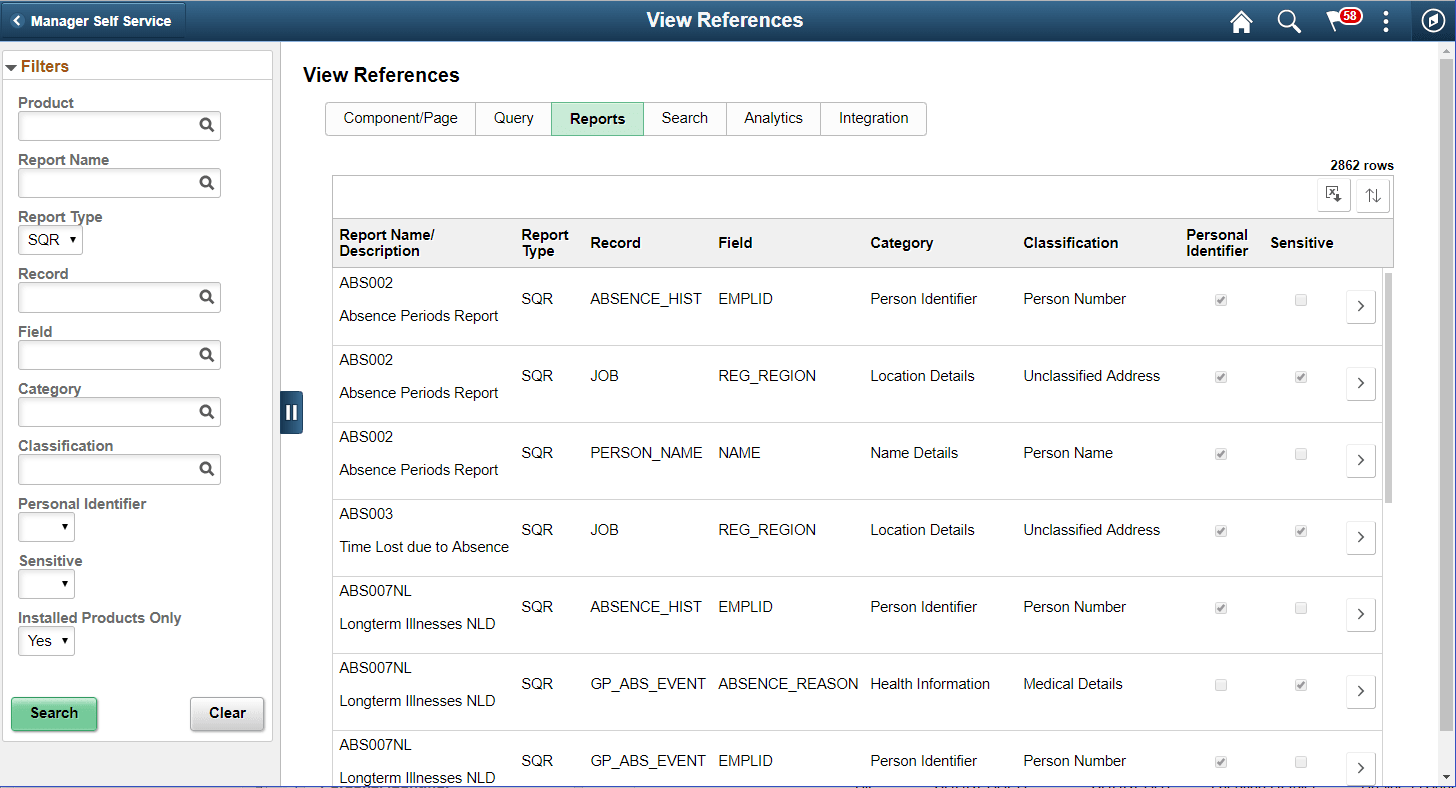
The left panel have Filters listed as follows:
-
Product
-
Report Name
-
Report Type:
Report Type has two options: SQR and BIP .
-
Record
-
Field
-
Category
-
Classification
-
Personal Identifier
-
Sensitive
-
Installed Products Only
| Field or Control | Description |
|---|---|
|
|
Select to open the report details of BIP Report Details Modal or SQR Report Details Modal. |
