Creating Maintenance Pages
You can also create maintenance pages.
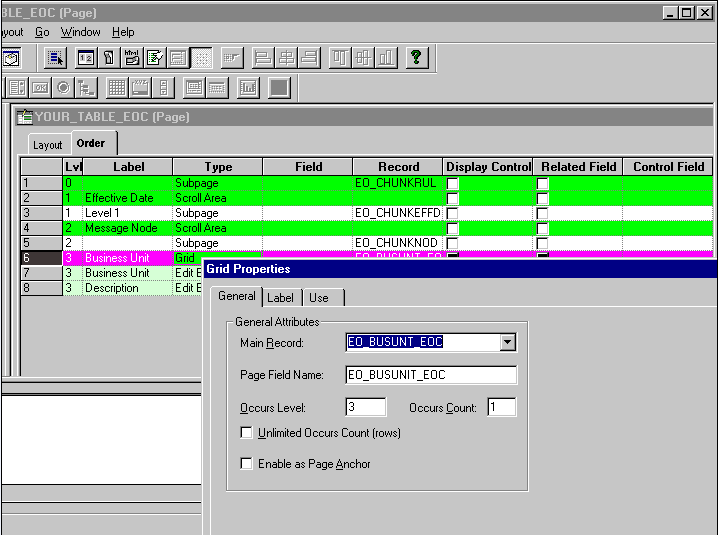
This example illustrates the fields and controls on the Grid Properties dialog box. You can find definitions for the fields and controls later on this page.
To create maintenance pages:
-
Select File, Open in PeopleSoft Application Designer.
-
Select Page in the Definition drop-down menu.
-
Open the EO_CHUNKBU page.
-
Save the page as YOUR_PAGE.
-
Select the Order tab.
-
In the Type column, double-click Grid to open the Grid Properties dialog box.
-
Change the value in the Main Record and Page Field Name fields to YOUR_TABLE_EOC.
-
Click OK.
-
Delete the business unit and description columns.
-
Add chunking fields from YOUR_TABLE_EOC.
-
Select File, Save.