Viewing Explicit Dimension Set Properties
To view explicit dimension set properties:
-
Select to access PeopleSoft Application Designer.
-
After signing in to the PeopleSoft Application Designer, open an analytic model definition.
-
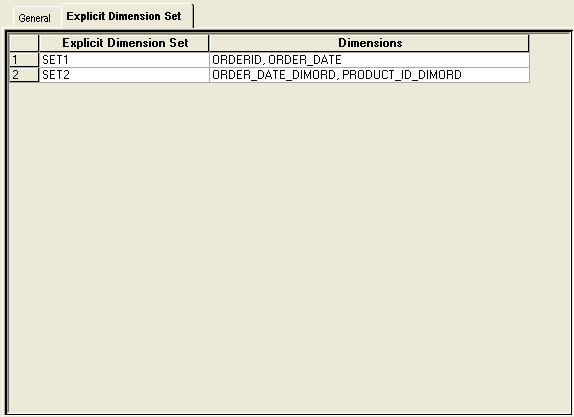
Double-click the Parts branch in the part browser, and then select the Explicit Dimension Set tab.
This is an example of the Explicit Dimension Set tab.
| Field or Control | Description |
|---|---|
|
Explicit Dimension Set |
Displays the name of the explicit dimension set. |
|
Dimensions |
Displays the dimensions that are included in the explicit dimension set. |