Configuring Browser Options
The Browser tab on the Options dialog box enables you to specify values that are required to compose a URL for the browser to locate a portal page. The spell check feature uses the information recorded in this dialog box to launch portal pages from the Spell Check tab in the output window when you double-click a portal registry misspelling.
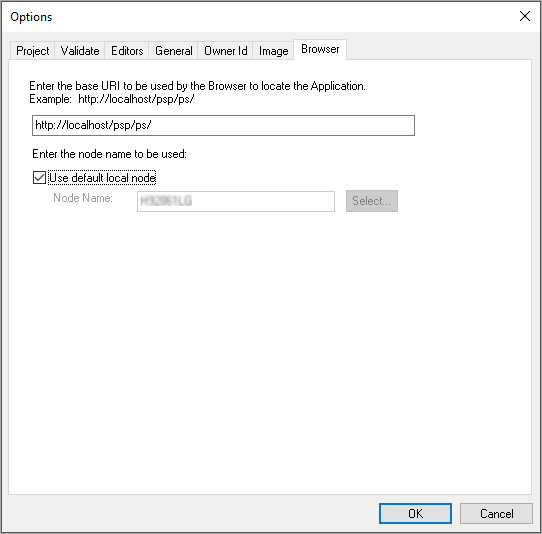
This example illustrates the fields and controls on the Options dialog box: Browser tab. You can find definitions for the fields and controls later on this page.
To configure browser options:
-
Select and click the Browser tab.
-
Enter the base URI or use the default setting.
This value is the URI of the node that hosts the portal.
-
Set the node name to be used with the base URI.
The Use default local node check box is selected by default. Deselecting this check box enables the Select button, which allows you to set the node name in the Select Node dialog box.
The Select Node dialog box displays the list of available nodes by project. You can search for the appropriate node by clicking the Select button.