Creating New File Layout Definitions
In PeopleSoft Application Designer, select
This example illustrates the fields and controls on the File layout with two records in a hierarchy. You can find definitions for the fields and controls later on this page.
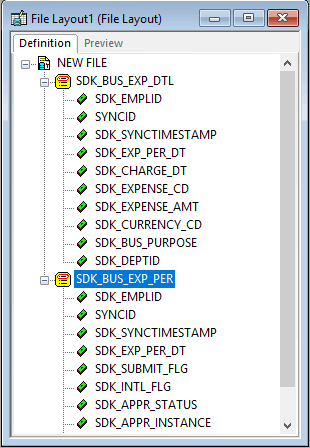
A new file layout contains only one element, the root node to which file records are attached. The default root node name is NEW FILE.
Save the new file layout definition. You are prompted to name the file layout, which also becomes the name of the root node.
Note:
The default file layout format is FIXED.
Related Topics