Dragging Record Definitions Onto a Page
You can add an entire record definition to a page at once, which can save a great deal of time when generating pages. You can then arrange the fields as desired on the page.
Note:
You can also drag an entire record definition into a grid control that you have placed on a page.
See Inserting and Manipulating Grid Columns.
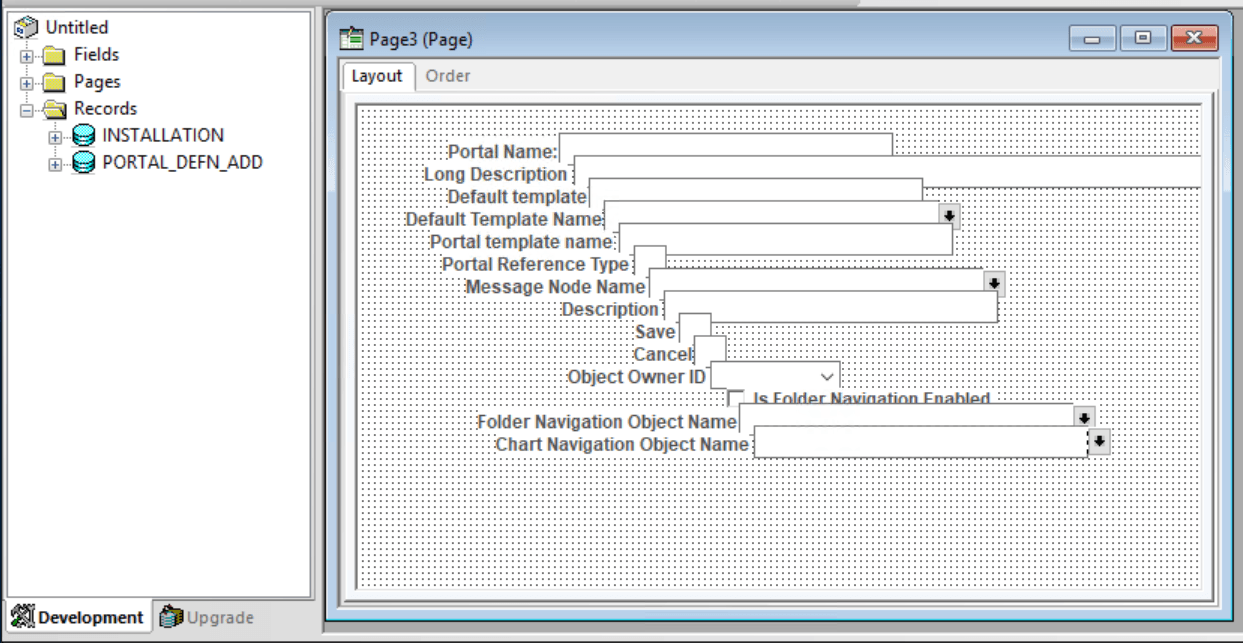
This example illustrates the fields and controls on the Dragging a record definition to a page.
To drag record definitions onto a page:
-
Open the project that you want to drag from an existing or new page.
-
Drag the record definition onto the page.
PeopleSoft Application Designer positions the record fields on the page as page fields in a cascading manner. Fields are in the order that they appear in the record with the appropriate control value assigned to each one.
-
Reposition the fields as necessary on your page.
-
Double-click each new page field to set its properties.