Modifying Set Control Fields
If you are sharing tables or using a set control field that is not already defined as such in your PeopleSoft application, you must make some modifications to the record definition for the table in which you store values for your specified set control field. For example, all PST company codes are stored in the COMPANY_TBL.
Here, you must add PeopleCode to the set control field so that each time you add a new value, the system populates the set controls in PeopleTools utilities, where you assign the appropriate tablesets.
This example illustrates the fields and controls on the Attaching PeopleCode to your set control field. You can find definitions for the fields and controls later on this page.
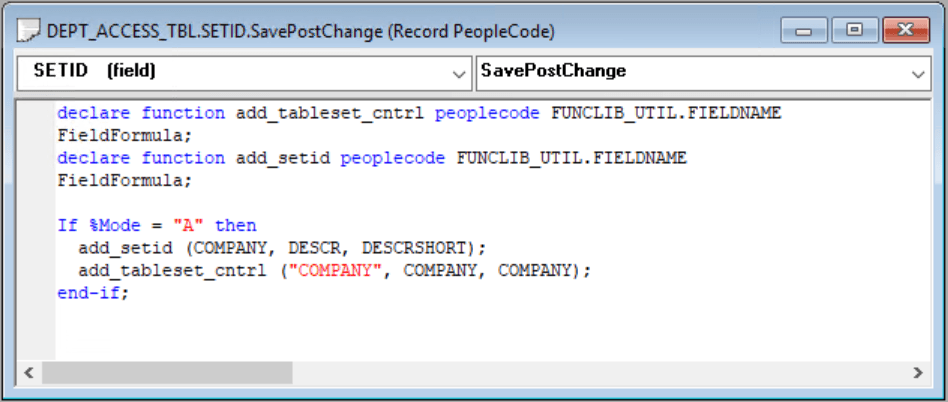
This program assigns a default setID with the same value as the Set Control Field value, for each new COMPANY row that you add to the COMPANY_TBL. For example, when you add a row for CCB in the Company table, it creates a default setID of CCB. This way, each value that you add is assigned a unique tableset until you assign shared tablesets in the Utilities window.
You can easily clone and modify this program to change the ADD_SETID and ADD_TABLESET_CNTRL statements to reflect your table sharing objectives. Alternatively, if you are working with existing tableset functionality, you can point to a model setID that is delivered with your PeopleSoft application.
Related Topics