Reordering or Resizing Grid Fields
To perform bulk modifications by using PeopleSoft Application Designer, select
You can rearrange columns as needed, and the order is applied on target pages. The reordering algorithm groups the fields together at the first instance of any of the fields in a target page grid and forces the remaining fields into the specified order.
Pages that have these fields outside of grids are not affected by these changes. The resize operation applies only to grid column widths.
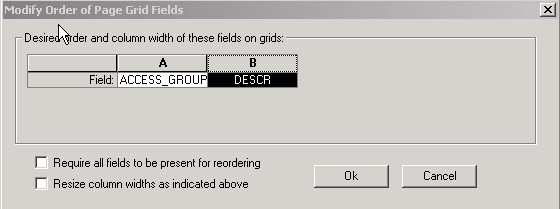
This example shows the Modify Order of Page Grid Fields dialog box:
This example illustrates the fields and controls on the Modify Order of Page Grid Fields dialog box. You can find definitions for the fields and controls later on this page.
| Field or Control | Description |
|---|---|
|
Require all fields to be present for reordering |
Select if you do not want to modify pages that do not have all of the fields in the grid. |
|
Resize column widths as indicated above |
Select to resize the columns to the column widths that are defined. |
Note:
These changes take effect immediately; no database build is required.