Tablesets
When none of the information stored in control tables is valid for all users, but the structure of these common tables is the same, you can set up a way to share multiple sets of values. For example, a multi-company organization must store completely different sets of accounting codes for its various operating entities, and the data for these accounting codes is maintained in a set of relevant control tables. The actual data values differ, but the structure of the control tables remains the same. PeopleTools enables you to share sets of values in a control table through tablesets.
To better understand Typesets, consider an organization that has two retail stores with common accounting codes, two pharmaceutical firms with another set of accounting codes, and two shipping firms with yet another set of codes.
The following image explains about maintaining multiple account codes for multiple companies
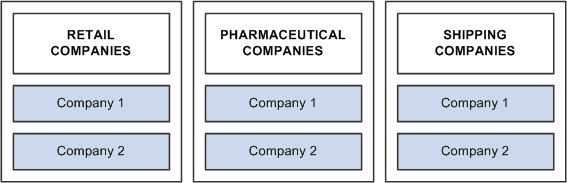
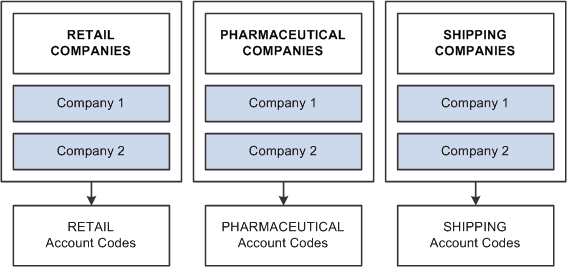
If each of these companies has completely different accounting codes, you can establish six different sets of account codes to be maintained by each company. If they all have exactly the same accounting codes, you can limit them to one set of values. However, the reality is usually somewhere in between. That is, there is one set of account codes for each type of business: retail, pharmaceutical, and shipping. Rather than having six different companies maintaining separate copies of this common data, you can reduce the number to three sets:
The following image illustrates the concept of sharing multiple account codes among companies
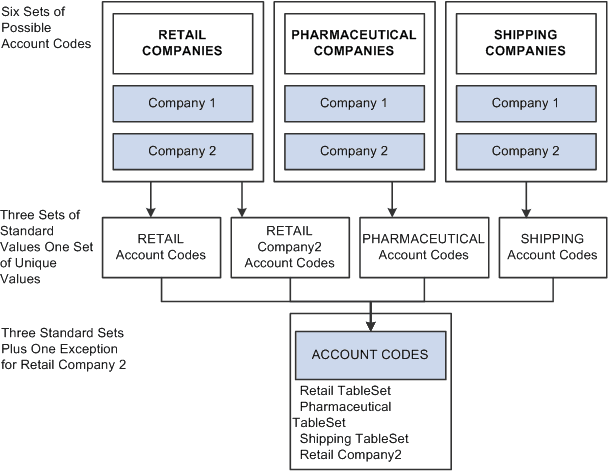
You can also handle exceptions. Suppose that Retail Company 2, a recently acquired company, has its own unique set of account codes. A separate set of values should be maintained for this company as an exception to the retail rule:
The following image explains sharing account codes among companies with exceptions
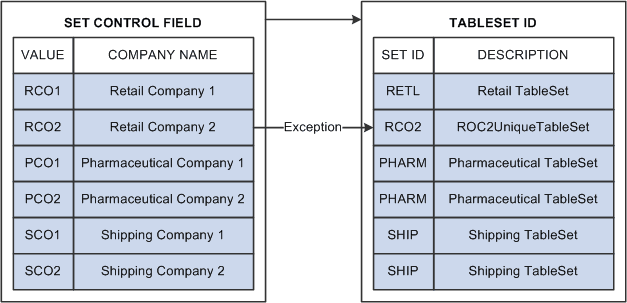
When you share tables in PeopleTools applications, you add the SETID field as an additional key or unique identifier to the table that you want to share. This key identifies the sets of information in the table that are shared by multiple companies or business units under your corporate umbrella. You then specify a set control field, which identifies which fields map between the original key and the tablesets. You can specify any field that logically identifies the tablesets. In this example, you might assign the Company field as the set control:
The following diagram illustrates linking set controls and tablesets where in you can specify any field that logically identifies the tableset
Sharing Groups of Record Definitions
While this example illustrates how you might share data values for a single table—Account Codes—you typically share data that is stored in many tables that are based on the same tablesets. To minimize the overhead of defining tablesets, you can define record groups that share table data in a similar manner. For example, rather than using the tablesets that you establish for accounting codes solely for the Accounting Code table, you can group all accounting related tables into one record group.
Tablesets and PeopleSoft Applications
Some PeopleSoft applications already take full advantage of tablesets and table sharing. Throughout the PeopleSoft Financials and HCM product lines, tablesets are used extensively, in most cases triggered by business unit.