Testing Formats
The Test Format dialog box enables you to test a specific format or unformatted path for a family without having to build a page:
This example illustrates the fields and controls on the Test Format dialog box. You can find definitions for the fields and controls later on this page.
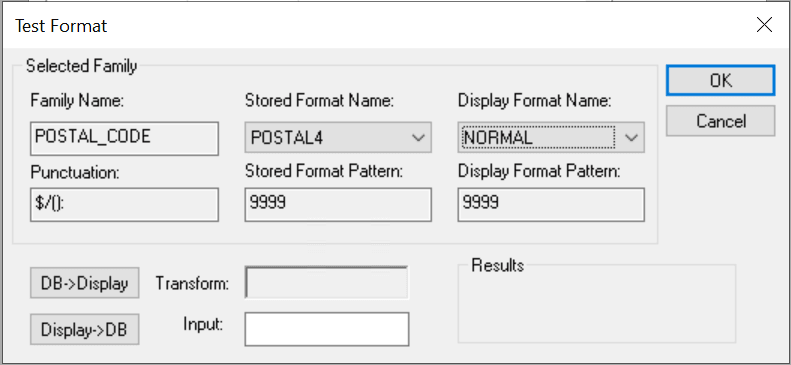
| Field or Control | Description |
|---|---|
|
Stored Format Name and Display Format Name |
Select a stored and display format pair to test. |
|
DB->Display |
Click this button to process the input field like data from the database. The system applies the stored format pattern to the input, and then applies the display format pattern to the result. The output appears in the Transform field, which is the same output displayed for a field using this format. |
|
Display->DB |
Click this button to process the input field like user input from a page. The system applies the display format pattern to the input, and then applies the stored format pattern to the result. The transformed output appears in the Transform field. This output reflects what is stored in the database if the operation is successful. On an actual page, when the user presses the tab key to exit the field, the system calls the DB->Display function to reformat the user input for the display. |