Understanding Multiple Labels
You can define multiple label pairs for any field. By adding multiple labels to a field definition, you can expand its usability and create a more intuitive user experience at the same time.
For example, here you see the Date field with multiple labels.
This example illustrates the fields and controls on the A date field showing multiple field labels.
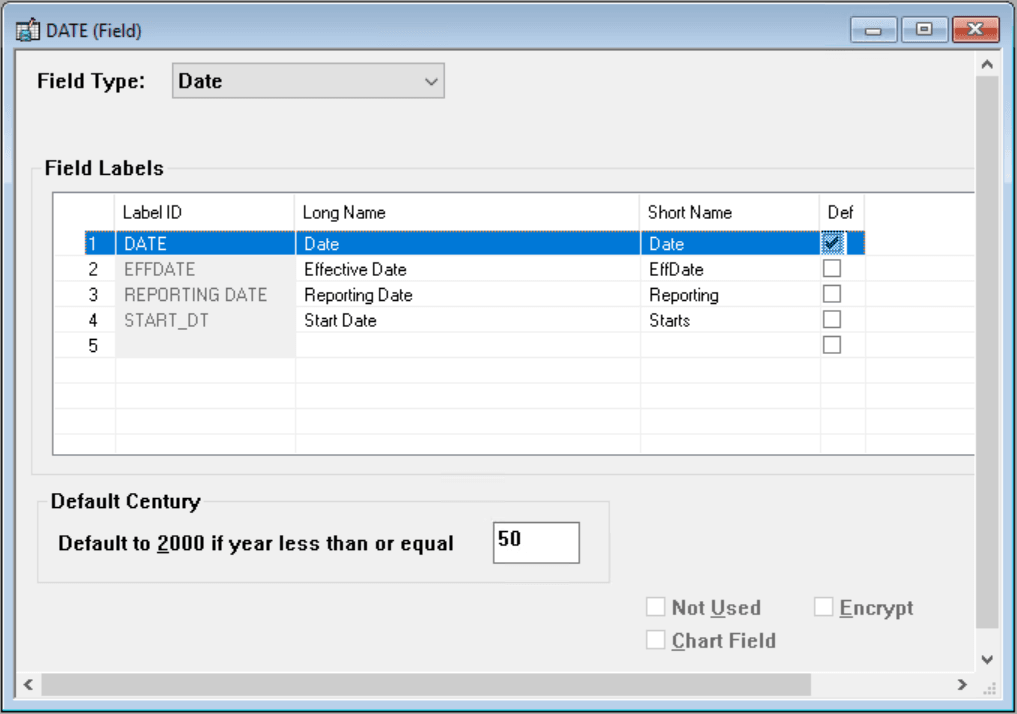
You could use this field in a student registration application and select the First Day of Classes label. You could also use this field in an application that tracks employee personal information, but select the Date of Birth label. In each case, you use the same field definition but you vary the label to reflect what the user sees and should understand about its context.
The underlying data structure for the field does not change when you change its label. At the database level, the column name in the table is DATE. You are merely manipulating the label to accommodate the context in which you use the field.
The system displays multiple labels in alphabetical order and sorted by label ID. You can sort the labels in a field by double-clicking the column header. The sorting is not saved, but it is helpful for quickly viewing the labels.