Using Multiple Grids on a Page
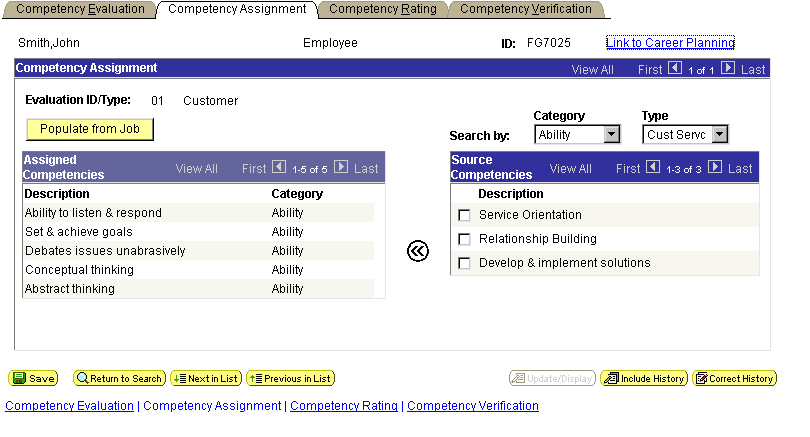
You can place as many grids on a page as you want, provided that they are at the same occurs level. They can be one above the other or they can be side-by-side, such as those in the following example. This is helpful when you must transfer data from one grid to another without switching between pages.
In the following example, the user can transfer data from the Source Competencies grid on the right to the Assigned Competencies grid on the left by using the double left arrow button. The push button is associated with a PeopleCode program, enabling it to transfer the data between the two grids.
This example illustrates the fields and controls on the Grids side-by-side on a page. You can find definitions for the fields and controls later on this page.
As you can with other level-based controls, you can nest a grid in a scroll area or scroll bar. However, you cannot nest a grid in another grid.