Viewing and Editing Definition Properties
Properties are associated with each definition type. To view or edit definition properties, select You can also click the toolbar button, press Alt+Enter, or right-click the definition and select Properties from the pop-up menu.
The Definition Properties dialog box almost always includes a General tab that provides a place to display and enter descriptions and comments about the definition. An optional Owner ID drop-down list box designates the owner of an individual definition. This ID helps identify which application team last made a change to a definition. Set the default owner ID for new definitions in the Options dialog box on the Owner ID tab.
This example illustrates the fields and controls on the Example of a Property sheet. You can find definitions for the fields and controls later on this page.
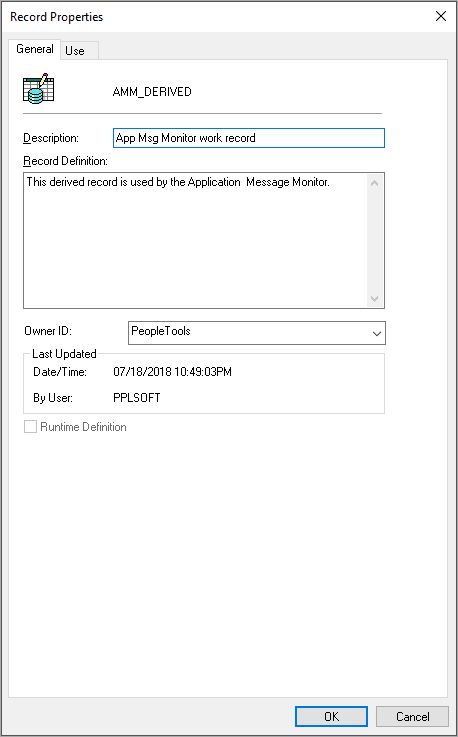
With PeopleSoft Application Designer, every definition that you can open (menus, pages, components, records, fields, and so on) has an associated property sheet. Definition properties that are specific to the definition type are grouped together in these definition property sheets. For example:
-
Record type and record use properties are found in the Definition Properties sheet for records.
-
Translate values are found in the Definition Properties sheet for fields.
-
Menu groups and menu labels are found in the Definition Properties sheet for menus.
-
Search record, actions, and internet settings are found in the Definition Properties sheet for components.