Working with PSSTYLEDEF_SWAN
This example illustrates the look and feel of the PSSTYLEDEF_SWAN style sheet.
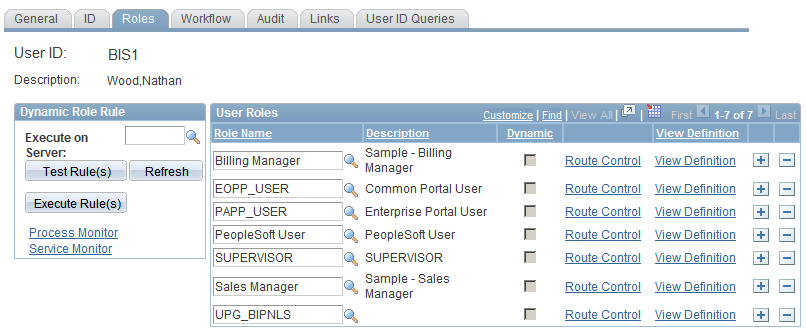
The style classes in the PSSTYLEDEF_SWAN style sheet are comparable to those in the PSSTYLEDEF style sheet. The page styles provided by PSSTYLEDEF_SWAN are the standard design for all Oracle Applications products.
Note:
The My Reports pagelet contains exceptions to the SWAN style sheet and might appear to look different from the standard SWAN style.
Note:
Any custom style sheets or sub style sheets that you use with PSSTYLEDEF_SWAN must include SWAN in the definition name.
The PSSTYLEDEF_SWAN style sheet comprises all default style classes and includes these sub style sheets:
-
JSR168STYLEDEF_SWAN: Defines PeopleSoft Portlet default style classes.
-
PAALTERNATE_SWAN: Defines PeopleSoft Portal Solutions alternatives to PS default style classes.
-
PSACE_SWAN: Defines analytic calculation engine and analytic grid default style classes.
-
PSALTERNATE_SWAN: Defines application alternatives to PS default style classes.
-
PSCHARTSTYLE_SWAN: Defines charting default style classes.
-
PSORGCHART_SWAN: Defines organization chart default style classes.
-
PSRATEBOX_SWAN: Defines rating box default style classes.
-
PTSTYLEDEF_SWAN: Defines the standard PeopleSoft Pure Internet Architecture and portal default style classes.
-
PSNAV2_SWAN: Defines the 8.5x Menu navigation style classes. This sub style sheet is free form.
-
PSPOPUP_CSS_SWAN: Defines the pop-up dialog box page style classes. This sub style sheet is free form.
-
PSTAB_PTCSS_SWAN: Defines the page tab style classes. This sub style sheet is free form.
Note:
You should not modify PSSTYLEDEF_SWAN or other PeopleTools style sheets; instead, clone existing style sheets and make changes to the copy.
Important:
Do not use the *_SWAN images in any customized code. These images are used by an Application Engine program to toggle between the new appearance and classic appearance. Using these images or modifying them in any way changes the attributes and has unexpected distortions in the appearance of your application pages. In addition, these images are subject to change in future releases of the application.