Setting the Number of Temporary Table Instances
Select to access the PeopleTools Options page.
This example illustrates the fields and controls on the PeopleTools Options page.
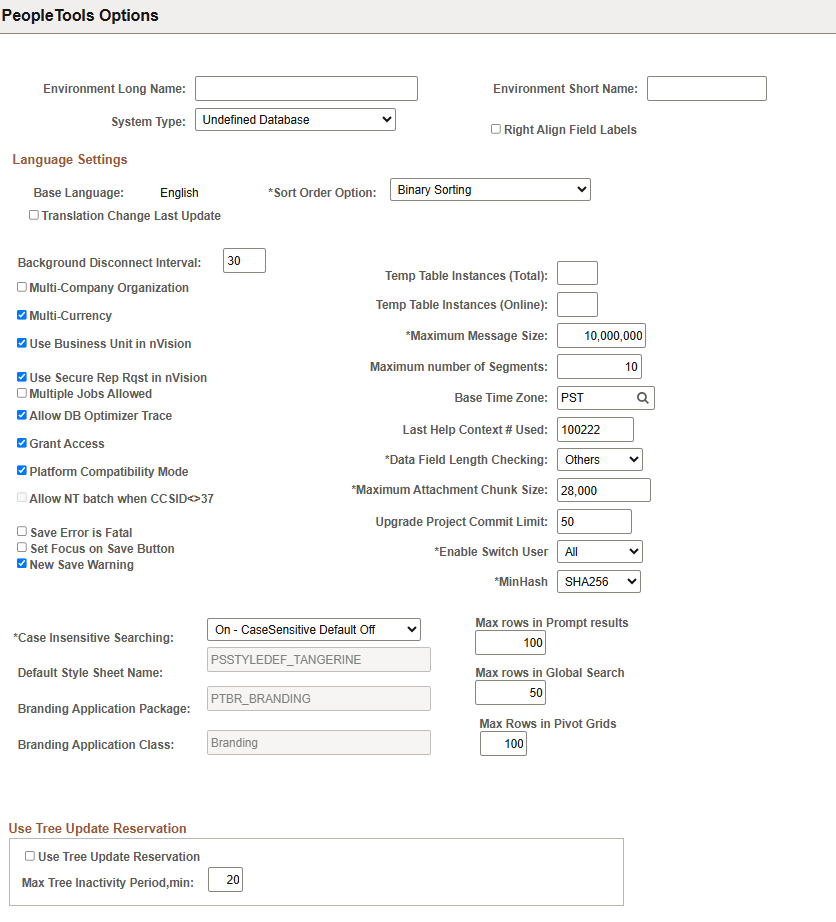
The system determines the total available number of temporary table instances for a base table according to your settings for total and online instances on this page.
| Field or Control | Description |
|---|---|
|
Temp Table Instances (Total) (temporary table instances [total]) |
The difference between the total and online numbers is your EPM-managed tables. If you are not using PeopleSoft EPM, the total and online numbers should be the same. |
|
Temp Table Instances (Online) (temporary table instances [online]) |
Enter the number of temporary table instances for Application Engine processes started online from the PeopleCode CallAppEngine function. In general, the number you enter should be relatively small (less than 10) so that extra instances do not affect performance. Application Engine uses this value to identify a range of temporary tables devoted to programs called by the CallAppEngine function. A randomizing algorithm balances the load for the online process that is assigned to a temporary table devoted to running the program online. |