Setting Options in PeopleSoft Configuration Manager (two-tier mode)
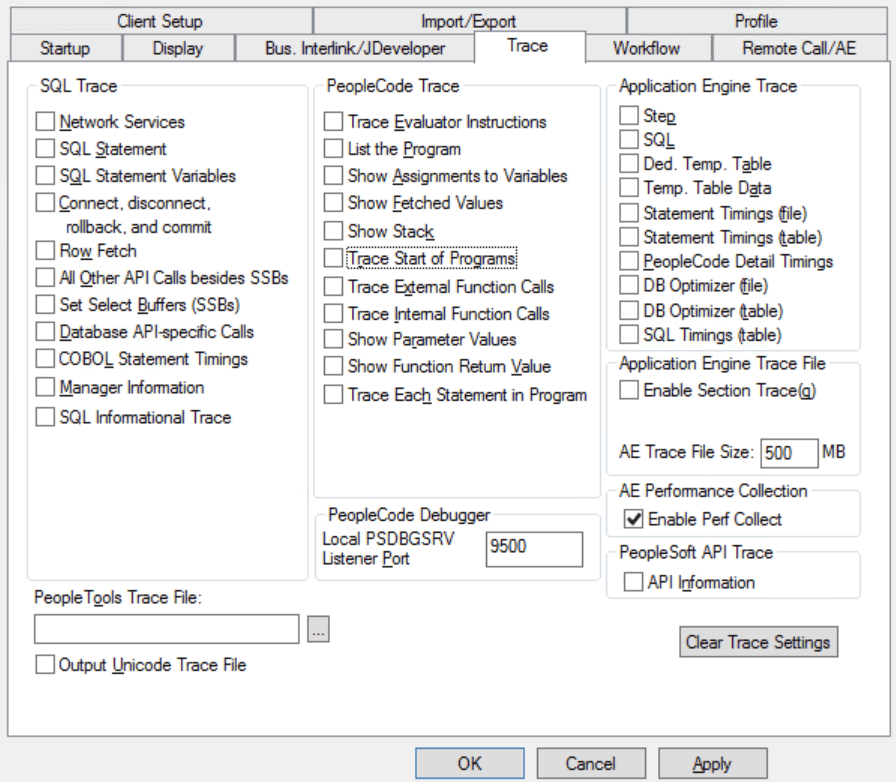
You can enable performance data collection using the Trace tab in PeopleSoft Configuration Manager.
To enable performance data collection (two-tier mode):
-
Open Configuration Manager.
-
Click the Trace tab.
-
Select the Enable Perf Collect check box.
-
Click either the Apply or OK button to enable the option.
The below image shows the Application Engine Performance Collection option:
This procedure is valid only if you are running Application Engine programs on a Microsoft Windows workstation in a development environment.