Setting Options to Trace a Specific Application Engine Program
To set options to trace a specific Application Engine program:
-
Select . The Process Definitions page opens.
-
Select an existing value or add a new one.
-
Select the Override Options tab.
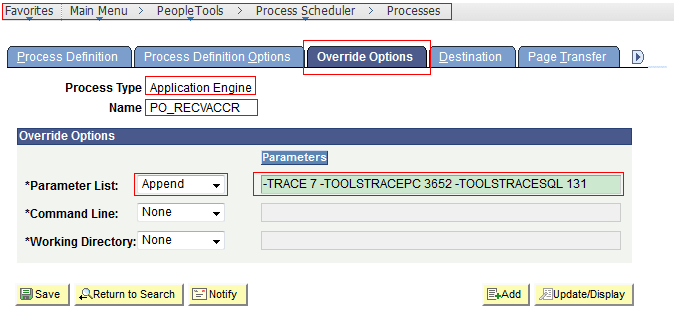
The below image shows how to fill up the Override Options page to trace a specific Application Engine program:
-
From the Parameter List drop down list, select Append.
-
Under Parameters for Parameter List, type -TRACE 7 -TOOLSTRACEPC 3652 -TOOLSTRACESQL 131.
-
Click Update/Display
Related Topics