Understanding Actions
You can include eight types of actions within a step, and a step can contain multiple actions. The actions you define for a step depend on the results that your program requires at each stage of execution.
The only mutually exclusive actions within a single step are Call Section and SQL Statement; you cannot add a Call Section action to a step that already contains a SQL Statement action, and vice versa. You can include only one of each action type within a single step. Because eight types of actions are available and two of these are mutually exclusive, the maximum number of actions a single step can contain is seven.
Action Execution Order
At runtime, the system evaluates actions by type and runs them within a strict hierarchy. For example, if both a Do When and PeopleCode action exist within a given step, then Application Engine always executes the Do When action first.
The following diagram shows the sequence and level of execution for each type of action.
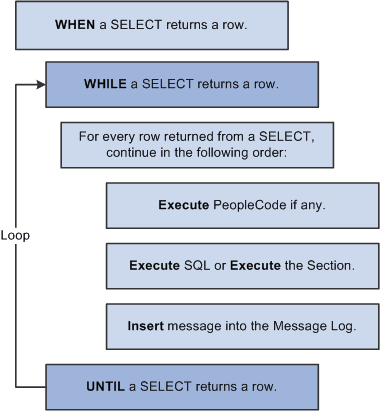
As you add actions to a step in the Definition view, the actions are initially inserted after the selected definition (the owning step or a previous action). However, following a save request or a refresh of the view, the designer reorders all actions to match the execution hierarchy. This feature helps you visualize the sequence in which each step of your program logic runs.
Note:
A SQL action and a Call Section action are interchangeable and mutually exclusive. Only one of these two actions can appear within a step.
When inserting actions, remember that:
-
You cannot have more than one action of a specific type within the same step.
-
You cannot have a SQL action and a Call Section action within the same step.
-
You can define only XSLT type actions for programs defined as Transformation types (see the program properties).