Viewing Temporary Table Usage by Record
Select to access the Temp Table Usage by Record page.
This example illustrates the fields and controls on the Temp Table Usage by Record page. You can find definitions for the fields and controls later on this page.
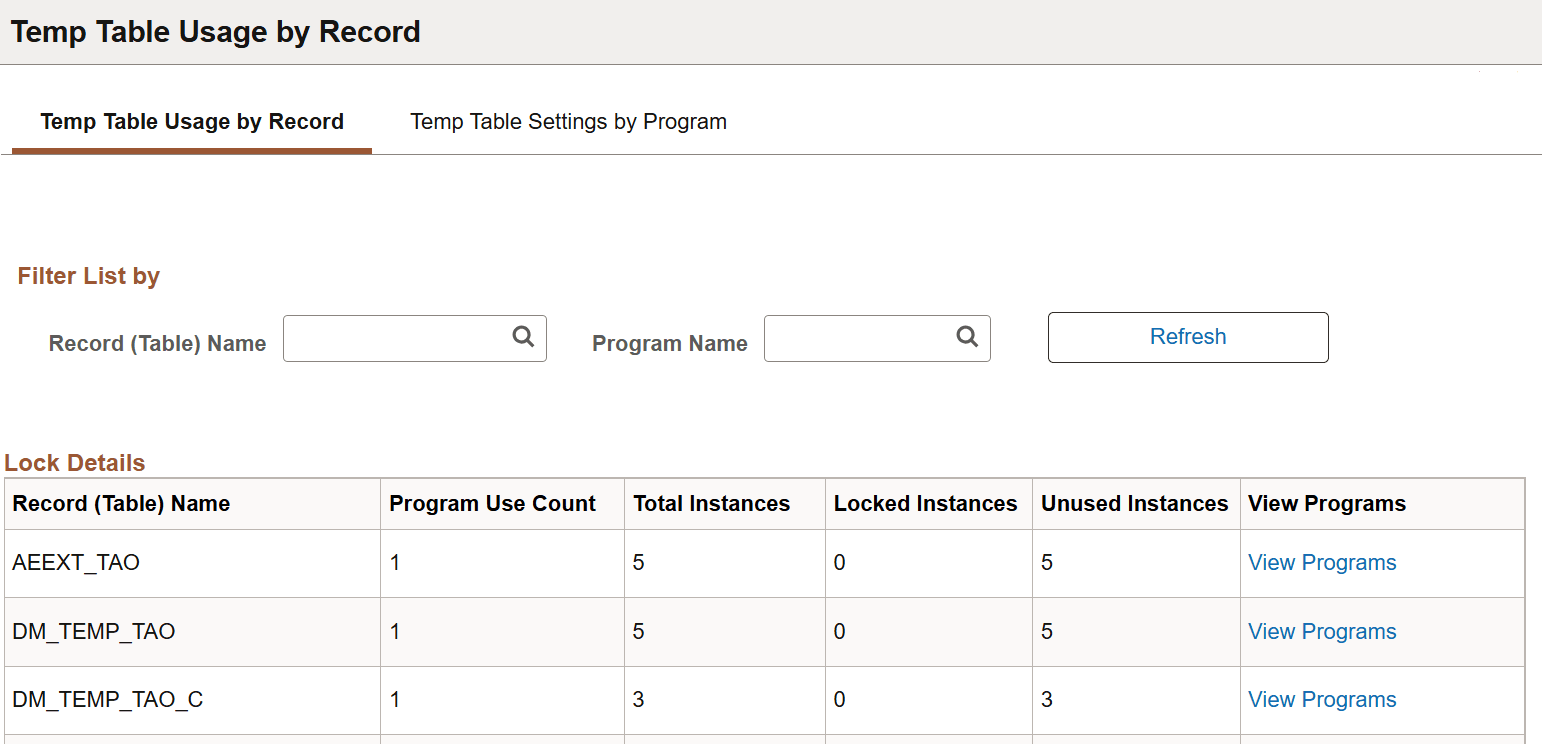
If you implemented temporary tables for parallel Application Engine program runs, use this page and the Temp Table Usage by Program page to find out how the system allocates temporary tables to your programs.
Parallel processing is designed to be a performance enhancing option. However, if the demand for temporary table instances consistently exceeds the current supply, performance suffers. Also, in other situations, your inventory of temporary table instances may far outnumber demand. Here, you may consider reducing the number of instances provided to conserve system resources.
This page shows you the following metrics for evaluating inventory and allocation of temporary tables.
| Field or Control | Description |
|---|---|
|
Program Use Count |
Shows the instance count of the listed program. |
|
Total Instances |
Shows the total number of existing instances of a temporary table. |
|
Locked Instances |
Shows the current number of instances that the system has locked for program runs. |
|
Unused Instances |
Shows the current number of instances that are available for use. |