Navigating Fluid Pop-up Menus Using Keyboard Shortcuts
You can use keyboard shortcuts to navigate items of a fluid pop-up menu.
The Actions menu is an example of a fluid pop-up menu:
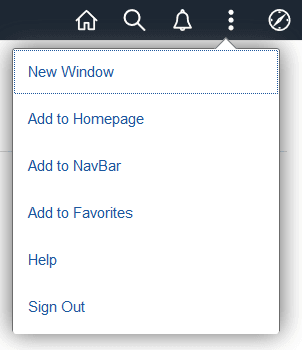
This table lists the key or key combinations that you use to navigate fluid pop-up menus:
| Key or Key Combination | Result |
|---|---|
|
Enter |
|
|
Down Arrow |
When focus is on a menu item, moves focus to the next item, optionally wrapping from the last to the first. |
|
Up Arrow |
When focus is on a menu item, moves focus to the previous item, optionally wrapping from the first to the last. |
|
Esc |
Closes the pop-up menu and returns focus to the item or context from which the menu was opened—for example, the menu button or parent menu item. |
|
Tab |
Closes the pop-up menu and moves focus to the next item in the tab sequence. |
|
Shift + Tab |
Closes the pop-up menu and moves focus to the previous item in the tab sequence. |