Selecting Rows
For certain grids and scroll areas, you can select a single row or multiple rows in case you need to batch a number of processes. Single-row selection is available when the system displays a radio button to the left of each grid row or in the upper-left corner of a scroll area. Select a row by selecting one of the radio buttons in front of the row. Multiple-row selection is available when the system displays a check box to the left of each grid row and in the upper-left corner of a scroll area. Select as many rows as you need by selecting each check box. This option must be enabled by the application developer.
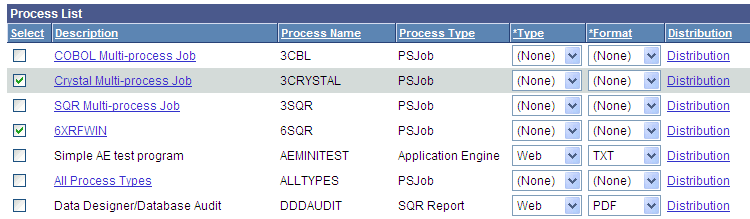
In this example, the Process List grid shows check boxes, which enable you to select multiple rows for processing.
This example illustrates using the Select check box to select rows.