Registering a Configuration Plug-in
Use the Register Plugin page to register a configuration plug-in, which includes assigning a category for the plug-in.
Access the Register Plugin page using the following navigation path:
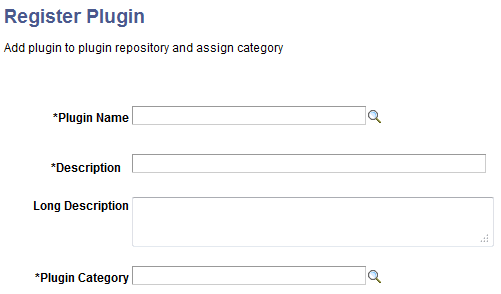
This example illustrates the fields and controls on the Register Plugin page. You can find definitions for the fields and controls later on this page.
| Field or Control | Description |
|---|---|
|
Plugin Name |
Select the plug-in that you created. Note: If the isInternalPlugin method of a plug-in class is defined as false, the plug-in will be available in the Plugin Name list. |
|
Description |
Enter a description for the plug-in. |
|
Long Description |
Optionally, you may enter a long description for the plug-in. |
|
Plugin Category |
Select a category to which the plug-in will belong. Currently, the following categories are available:
|