Define Translations Delta Package Wizard Step 2 of 6
Navigation:
After selecting the target database in the Update Manager Dashboard, expand the Define Change folder and select Define Translation Delta Package.
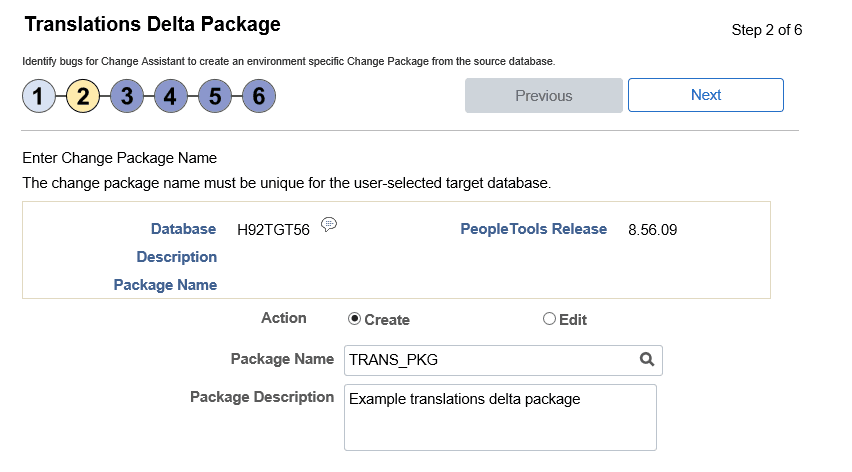
The second step is to enter the package name and description.
This example illustrates the fields and controls on the Define Translations Delta Package Wizard step 2 of 6 page. You can find definitions for the fields and controls later on this page.
| Field or Control | Description |
|---|---|
|
Package Name |
Enter a name for your translation delta change package. To edit an existing change package, select the Lookup button. The list of change packages that can be edited is restricted as follows:
|
|
Package Description |
Enter a description for the change package. |