Defining a New Change Package in Change Assistant
Standard search options are available for common use cases. Customers also have the option to create their own commonly used search criteria.
This example illustrates the fields and controls on the Define a New Change Package in Change Assistant page. You can find definitions for the fields and controls later on this page.
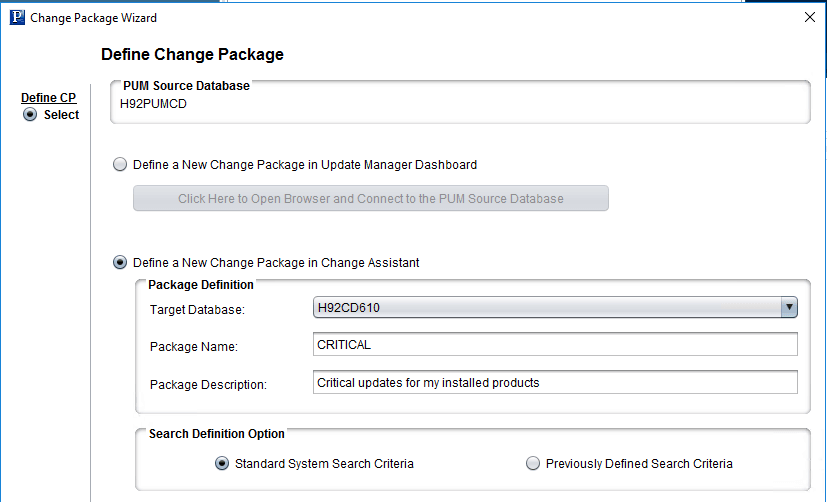
| Field or Control | Description |
|---|---|
|
Target Database |
Select the target database. |
|
Package Name |
Enter a package name. |
|
Package Description |
Enter a package description. (Optional) |
|
Search Definition Option |
Select the type of search definition.
|
Standard Search Options
The same standard system search options available from the Update Manager Dashboard are available in Change Assistant. These include:
-
All Unapplied Updates for Installed Products
-
All Critical Unapplied Updates for Installed Products
-
All Critical Updates Not Applied
-
All Tax Updates Not Applied
-
All True Requisites Not Applied
-
All Updates Not Applied
Previously Defined Search Criteria
If you select Previously Defined Search Criteria and click Next, the list will include all Change Package definitions with a status of Complete in the PUM source database.
This example illustrates the fields and controls on the Previously Defined Search Criteria page.
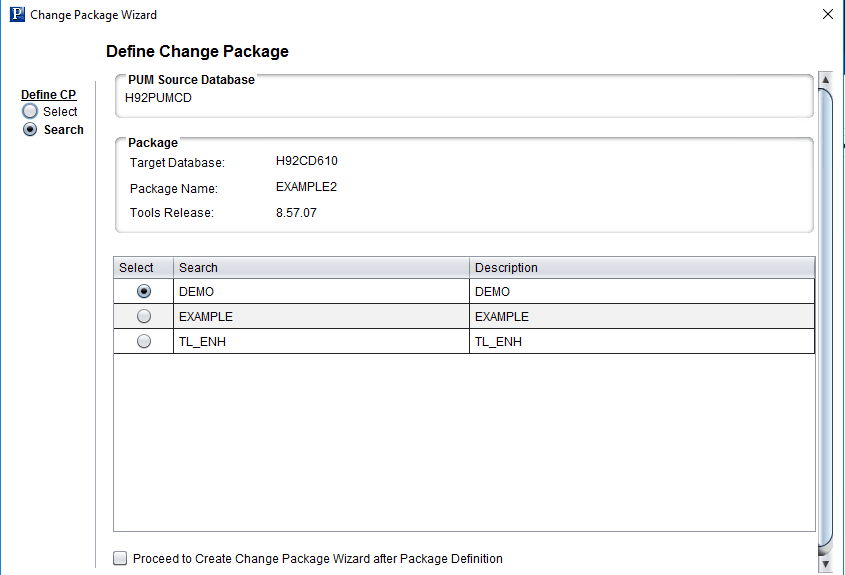
Select the checkbox if you want to proceed to create the change package when the package is defined. Click either Finish or Next (if you selected to proceed to create change package) to define the change package.