Managing Database Activities
The Manage Activity page displays the status and details of the activities defined and scheduled or run on the Define Activity page.
This example illustrates the fields and controls on the Manage Activity page. You can find definitions for the fields and controls later on this page.
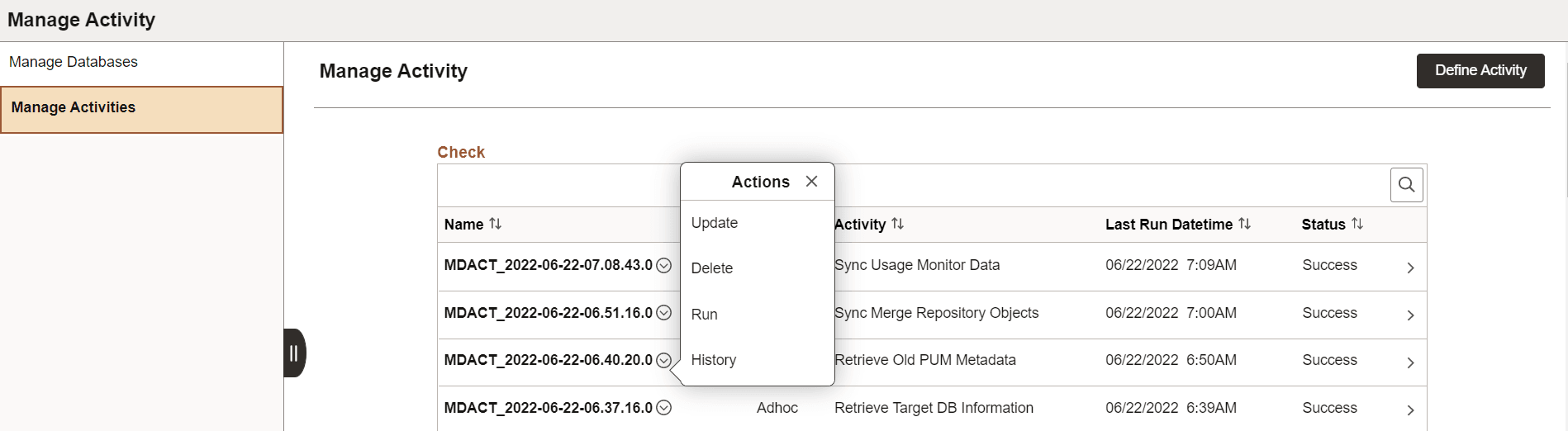
The activities that were saved and not run on the Define Activity page will not show any status on this page.
| Actions | Description |
|---|---|
|
Update |
Select to edit the activity. |
|
Delete |
Select to delete the activity. You can delete scheduled and ad hoc activities. |
|
Run |
Select to run the activity that was defined and saved. |
|
History |
Select to view the run history and logs of the activity. Alternatively, you can click on the row or the chevron (>) icon to view the history and logs. |
Viewing Activity History
Select the History action from the Manage Activity page to view the activity history.
This example illustrates the fields and controls on the Activity History page. You can find definitions for the fields and controls later on this page.
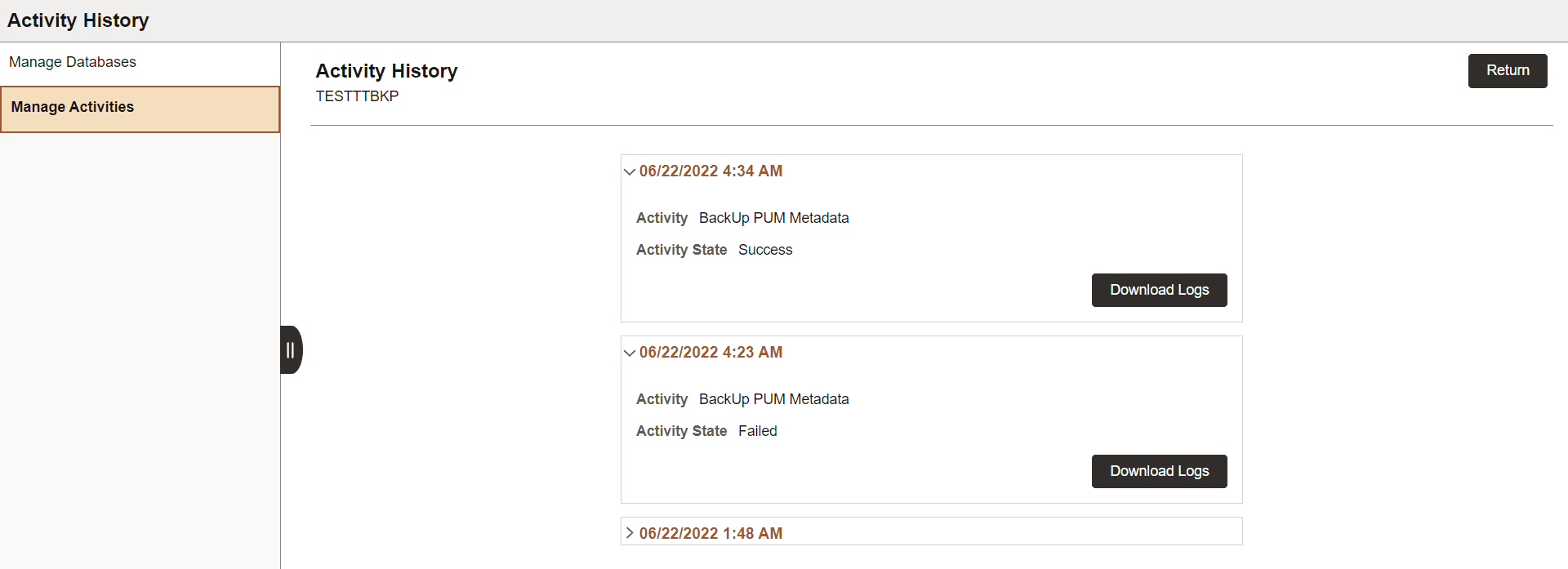
Open the Activity History page of an activity to view the number of activity runs.
History is logged in order of the activity run with the date and status.
Click Download Logs to download the zipped log files. You can review these files and troubleshoot.