Selecting New Features
Select the New Features link.
This example illustrates the fields and controls on the New Features Search page. You can find definitions for the fields and controls later on this page.
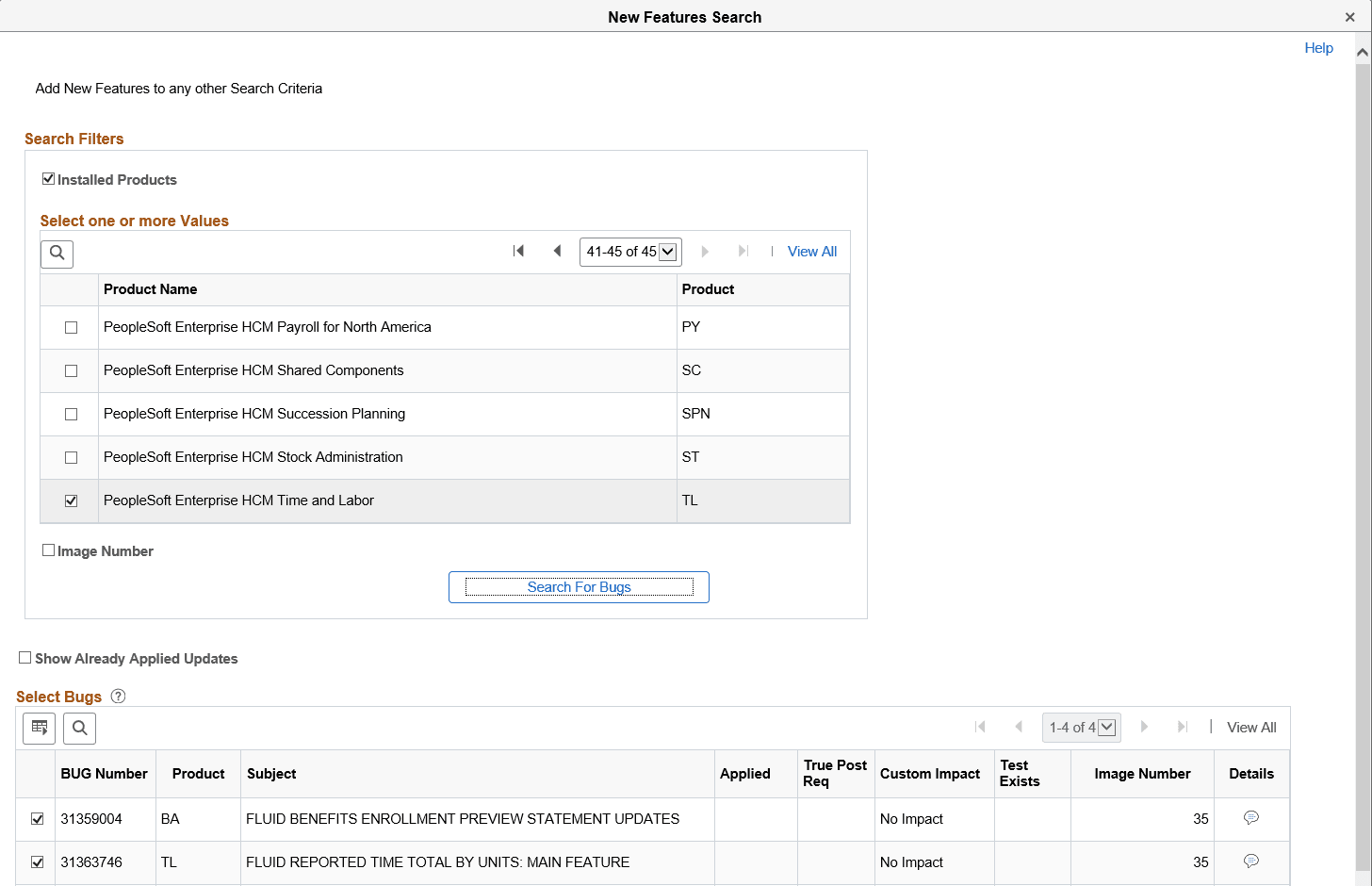
There are 2 filter options to assist in the search for new features, Installed products and Image Number. These filters are optional and if you click Search for Bugs with no filters, all matching rows will be returned.
| Field or Control | Description |
|---|---|
|
Installed Products |
When you select this checkbox, the installed products are displayed and available to select. |
|
Image Number |
When you select this option you see drop-down lists for From PI and To PI. Enter a range of image numbers to include in the search. |