Drop Zones in Component Interfaces
Component Interfaces support configurable drop zones.
Configurable drop zones allow you to add custom fields that are displayed and processed on delivered pages without customizing the component or page definition.
At design time, while creating a Component Interface, the availability of drop zone will be evaluated for the component. If drop zone configuration is detected, then the records and fields from the custom subpages gets added to the component interface properties list. These records and fields will be inserted at exact scroll level as the other existing properties.
This example illustrates a component interface with properties from drop zone custom subpages.
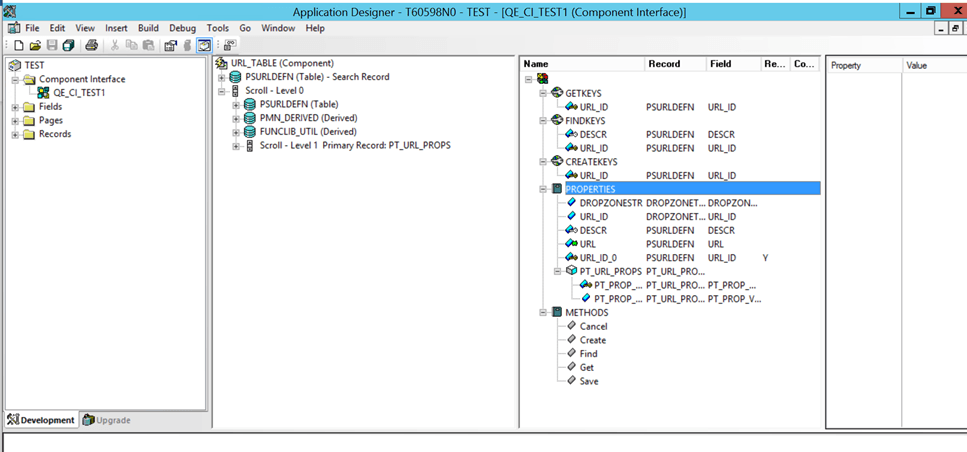
Similar to other component interface properties, the records and fields from the custom subpages can be retrieved to be modified or deleted directly, or through component interface collections.
Note that subpages within a drop zone subpage are not supported. Similarly, secondary pages within a drop zone subpage are not supported. PeopleSoft Component Interface usage is limited to the Level 0 drop zone.
All the limitations of Component Interfaces are applicable for Drop Zones support.
For details, refer to Understanding PeopleCode Behavior and Limitations