Listing All Audit Records for a Specified Time Period
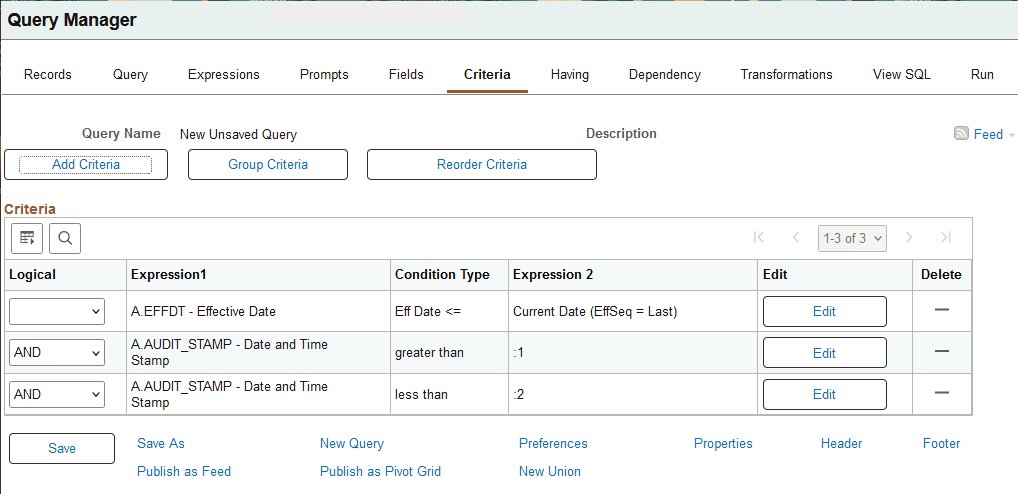
This example shows a query containing the same fields as in the previous queries, with two criteria that select data between two specified dates.
This example illustrates the Criteria page for the query after defining the criteria based on the AUDIT_STAMP field.
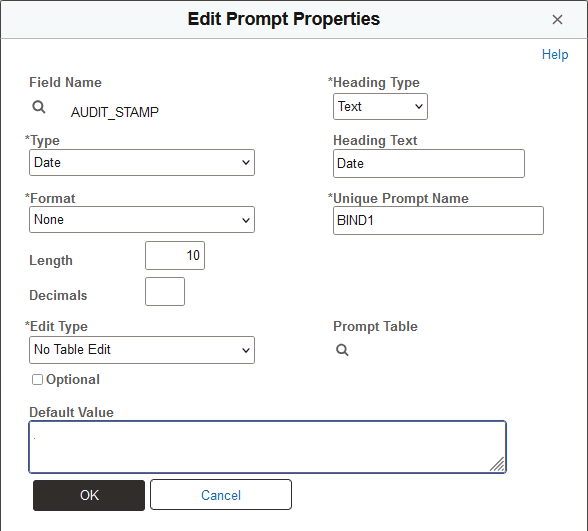
When you add the criteria and define the prompt properties, change the AUDIT_STAMP field type to Date to enable the user to take advantage of the calendar control as a prompt mechanism. The Heading Text and Unique Prompt Name must be different for the two criteria.
This example illustrates the Edit Prompt Properties page for the AUDIT_STAMP Date prompt.