Listing All Audit Records for a Specified User ID
This query is similar to the previous one. This query adds a criteria that is based on a prompt for user ID.
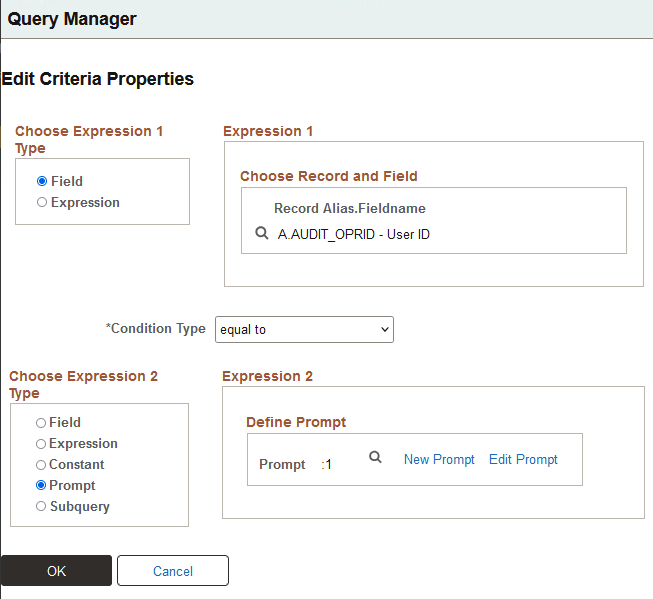
On the Query Manager - Criteria page, click Add Criteria and define an expression with AUDIT_OPRID equal to a prompt.
This example illustrates the Edit Criteria Properties page, with a field equal to a prompt.
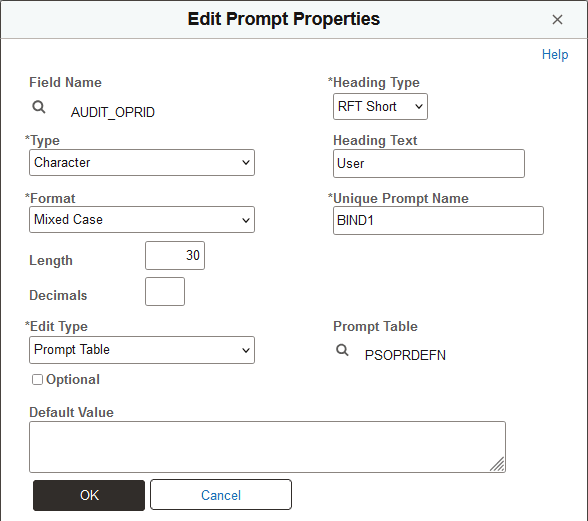
Select New Prompt to set the prompt properties. This example prompt is a character type named BIND1, based on the PSOPRDEFN prompt table.
This example illustrates the Edit Prompt Properties page with the PSOPRDEFN prompt table.
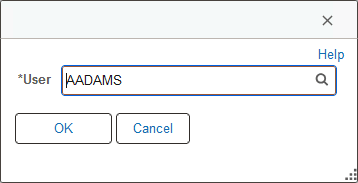
This is set up as a prompt for User ID against the PSOPRDEFN table. That way, when you run the query, you can specify a particular user ID. In this case, the query focuses on User ID AADAMS.
This example illustrates a prompt for User ID against the PSOPRDEFN table.
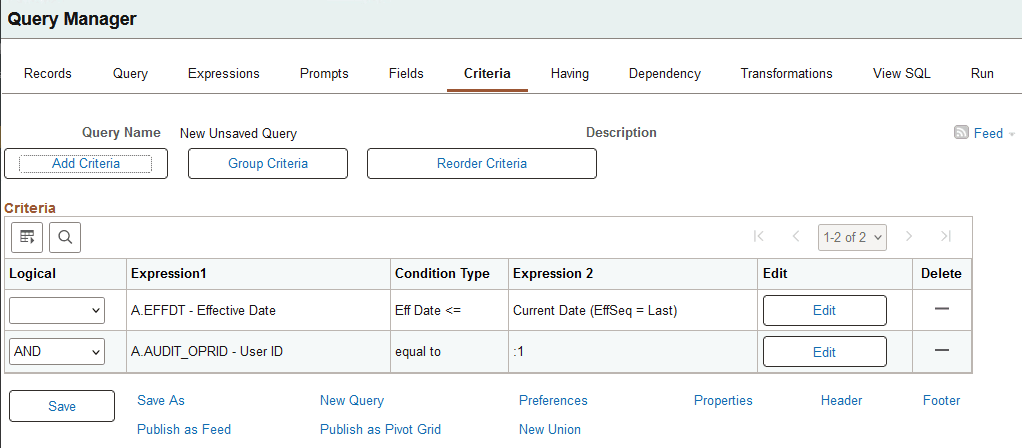
After defining the criteria, it appears in the second row in the Criteria page grid for the query.
This example illustrates the Query Manager - Criteria page.
Related Topics