Understanding the Diagnostic Report Format on the Browser
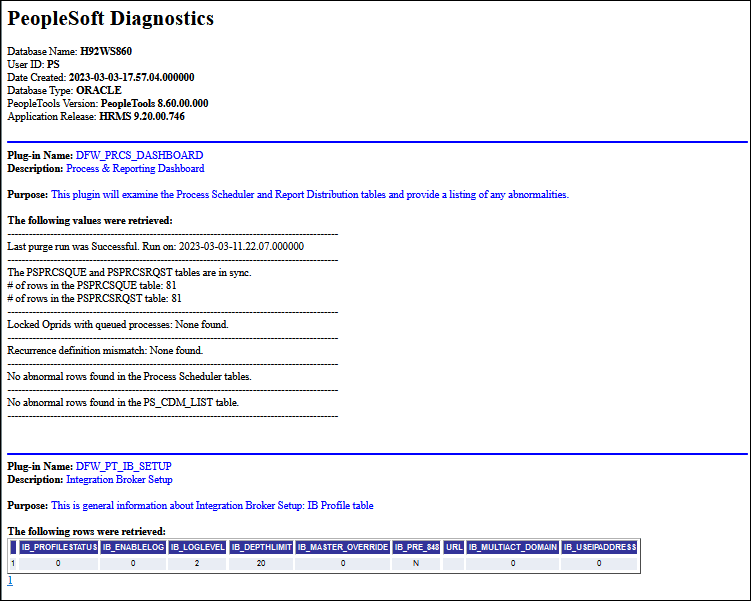
If you selected Display report in browser, the resulting PeopleSoft Diagnostics page appears in HTML format in a new browser window.
This example illustrates the top portion of the PeopleSoft Diagnostics page in HTML format.
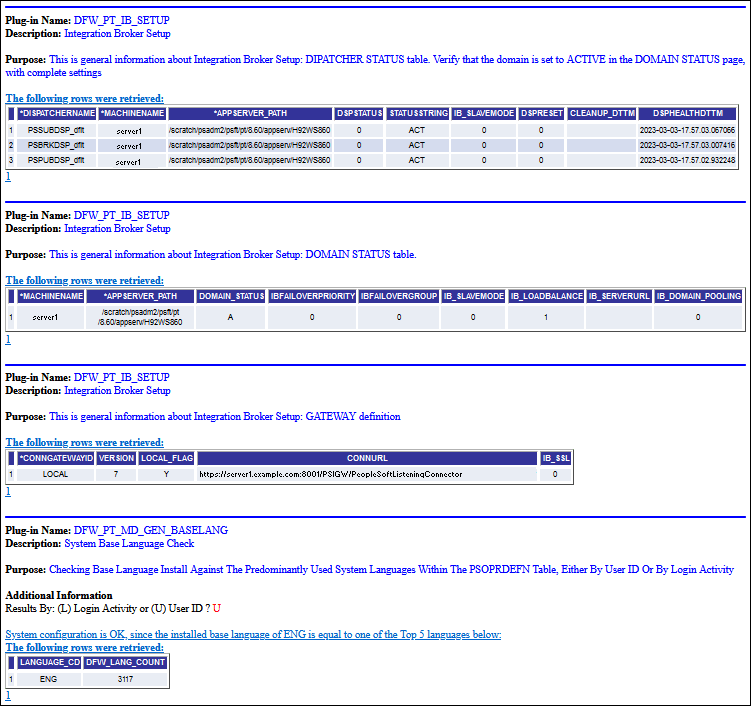
This example illustrates the bottom portion of the PeopleSoft Diagnostics page in HTML format.
Displaying rowset and non-rowset information
Rowset information is presented on the page in tabular form, and non-rowset information is presented in list form. You can use your browser's Save As functionality to save the page to your local computer.
Displaying retrieved rows and values on the report
The following two subtitles display the retrieved number of rows and the values in the diagnostic report:
-
The following rows were retrieved:
-
The following values were retrieved:
The titles are hidden by default. If you want to display the retrieved rows or the values, then you need to invoke the following methods in the plug-in to display the titles and the information on the report. The methods are:
-
To retrieve rows, add the code:
&stat = %Super.SetProperty(%This, "DisplayRows", "Boolean", True); -
To retrieve values, add the code:
&stat = %Super.SetProperty(%This, "DisplayValues", "Boolean", True);
Displaying hyperlinks on the report
If you want to display a hyperlink on the report then add the following code to the plug-in:
&status = %Super.InsertData("Link", "For More Information:","<a href='http://www.google.ca' target='_blank'>go here</a>"); In the above code:
-
“For More Information:”is the static text on the report before the link. -
<a href='http://www.google.ca'
target='_blank'>
is the link that will open in a new window. -
go here</a>"is the text which is linked.
Using Font Color to Distinguish Text in Reports
Diagnostic Framework reports in HTML format support four text colors to distinguish between information, errors, and warnings. To support the text colors you will need to add respective methods in the extended plug-in code. The text type, text color and the code are described below:
| Information Description | Text Color | Code |
|---|---|---|
|
Normal text |
Black |
|
|
Information |
Green |
|
|
Errors |
Red |
|
|
Warnings |
Yellow |
|