Accessing the Document Builder
PeopleSoft provides a Document Builder tool that enables you to build the structure of a document and define XML and relational formats for it.
The Document Builder is located in the IB_LOGICALSCHEMA component in the PeopleSoft Pure Internet Architecture.
To access the Document Builder, select When the Document Builder opens, the default view is of the Document Builder - Documents (IB_LOGICALSCHEMA) page.
This example shows the Document Builder – Documents page, the default view of the Document Builder.
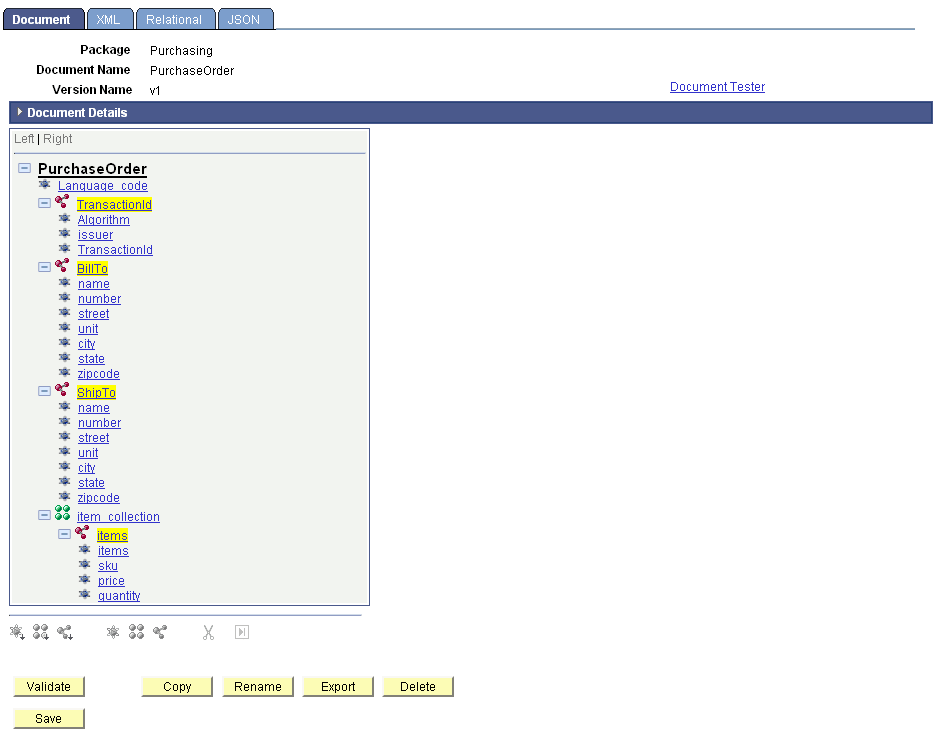
The Document Builder has four pages. The following table briefly describes the pages and how to access each of them.
| Page | Object ID | Description | Navigation |
|---|---|---|---|
|
Document Builder - Document |
IB_LOGICALSCHEMA |
Use the Document page to view:
You also use the Document page to:
|
Click the Document tab. |
|
Document Builder - XML |
IB_XMLSCHEMA |
Use the XML page to view:
|
Click the XML tab. |
|
Document Builder - Relational |
IB_RELATSCHEMA |
Use the Relational page to map PeopleSoft records to documents, which enables you to populate a rowset with a document. |
Click the Relational tab. |
|
Document Builder - JSON |
IB_JSONSCHEMA |
Use the JSON page to view or specify JSON tag names for document elements. |
Click the JSON tab. |
Subsequent sections in this topic detail how you navigate each of the Document Builder pages.