Adding Component or Page PeopleCode
Add the following PeopleCode to the Activate event for the page:
import PTFP_FEED:FeedFactory;
import PTFP_FEED:UTILITY:HoverMenu;
import PTFP_FEED:UTILITY:RelatedFeedsRequest;

Local PTFP_FEED:FeedFactory &PTFP_FEED_FACTORY;
Local PTFP_FEED:UTILITY:RelatedFeedsRequest &request;
Local array of PTFP_FEED:UTILITY:RelatedFeedsRequest &requests;
Local PTFP_FEED:UTILITY:HoverMenu &resultMenu;

&PTFP_FEED_FACTORY = create PTFP_FEED:FeedFactory();

/* Fill in the search criteria */
&requests = CreateArrayRept(&request, 0);
&request = create PTFP_FEED:UTILITY:RelatedFeedsRequest("unique ID");
&request.DataTypeID = "yourDataTypeID";
&request.DataSourceSettings.Push(CreateArray("Data Source Setting Name", ⇒
"Data Source Setting Value"));
&requests.Push(&request);

try
   /* Generate the menu */
   &resultMenu = &PTFP_FEED_FACTORY.getRelatedFeedsHoverMenu(&requests);
   DERIVED_PTFP.PTFP_HTMLAREA.Value = &resultMenu.getHtml();
catch Exception &e
   WinMessage(&e.ToString(), %MsgStyle_OK);
end-try;
See PeopleCode Developer’s Guide: Accessing Page PeopleCode.
Example
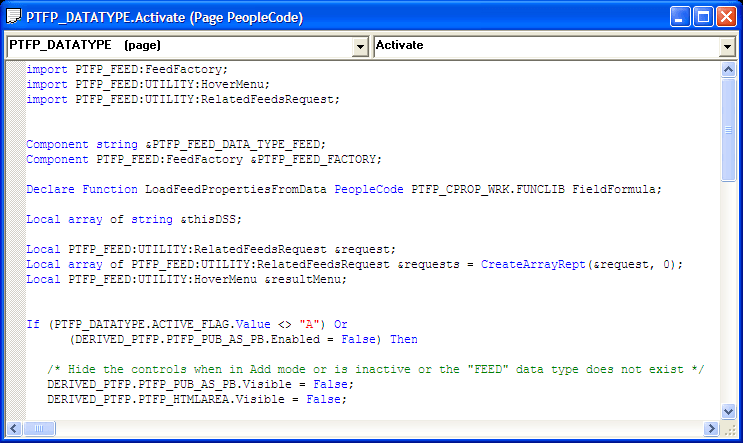
This example illustrates Page PeopleCode on the Activate event of PTFP_DATATYPE.