Configuring the Default User of the ANONYMOUS Node
To configure the default user of the ANONYMOUS node:
-
Select .
-
Select the ANONYMOUS node.
-
Select the Node Definitions page.
-
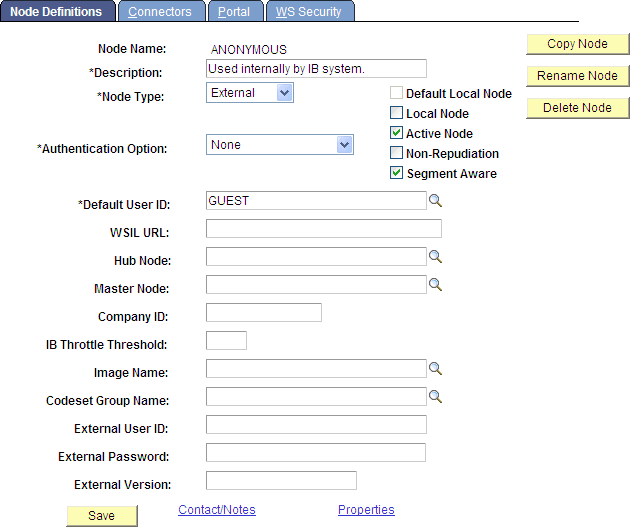
Verify that the Default User ID field contains a valid user with limited privileges, such as, the GUEST user.
Note:
At a minimum, this user ID must be assigned the PTPT5500 (Feed Service Access) permissions.
This example illustrates the fields and controls on the Node Definitions page.
See Integration Broker Administration: Defining Node Parameters.