Defining Advanced Options for Generic Message Feeds
Access the Advanced Feed Options page (click the Advanced Options link on the Publish Feed Definition page).
This example illustrates the fields and controls on the Define IB Generic Message Feed - Advanced Feed Options page. You can find definitions for the fields and controls later on this page.
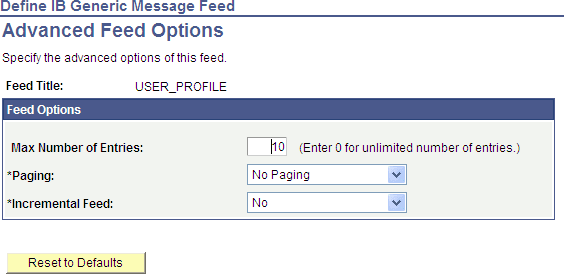
Use the Advanced Feed Options page to define advanced options for Integration Broker generic message feeds.
| Field or Control | Description |
|---|---|
|
Max Number of Entries (maximum number of entries) |
Enter the maximum number of entries that the feed should return to the user. Enter 0 for unlimited entries up to the maximum row limit specified on the Feed Options page, which is 300 by default. Note: You configure the upper limit on the Feed Options page. |
|
Paging |
Select one of these options:
|
|
Incremental Feed |
Select one of these options:
|
|
Reset to Defaults |
Click to reset the advanced options to their default values. |