Managing Published Feeds
Access the Publish as Feed page (click the Publish as Feed link or click the Publish button on the Publish Feed Definition page).
This example illustrates the fields and controls on the Publish as Feed page for an Integration Broker generic message type feed. You can find definitions for the fields and controls later on this page.
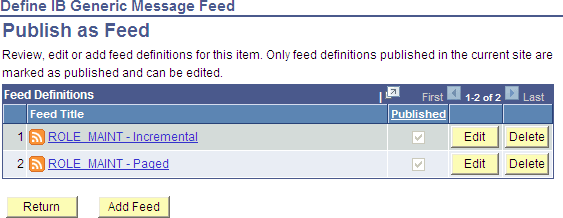
Use the Publish as Feed page to review, edit, add, or delete feed definitions for this item.
| Field or Control | Description |
|---|---|
|
Feed Title |
Click a link to open the feed document for this feed definition in a separate browser window. |
|
Edit |
Click this button to access the Publish Feed Definition page on which you can edit the published feed definition. |
|
Delete |
Click this button to delete the feed definition. |
|
Return |
Click this button to return to the administration page for the item. |
|
Add Feed |
Click this button to define and publish a new feed definition for the item. |