Setting URI Text for Local Host Nodes
For each local host node, you must set the URI text for the node definition.
Repeat the following procedure for each local host node:
-
Select .
-
Select a local host node.
-
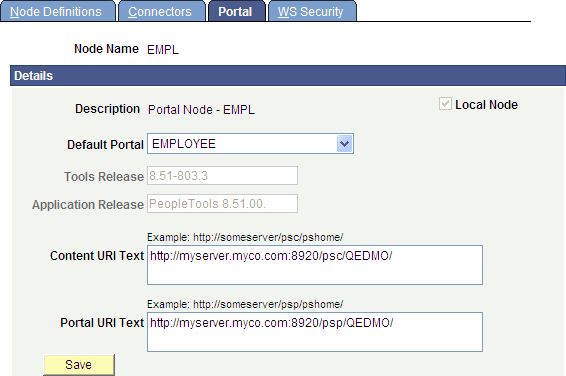
Select the Portal page:
-
Enter values for the Content URI Text field and the Portal URI Text field:
This example illustrates the fields and controls on the Portal page.
-
Save the configuration of the local host node.
-