Purging Notifications
Use the Purge Notifications page to purge notifications system wide. Purging notification data at regular intervals improves system performance.
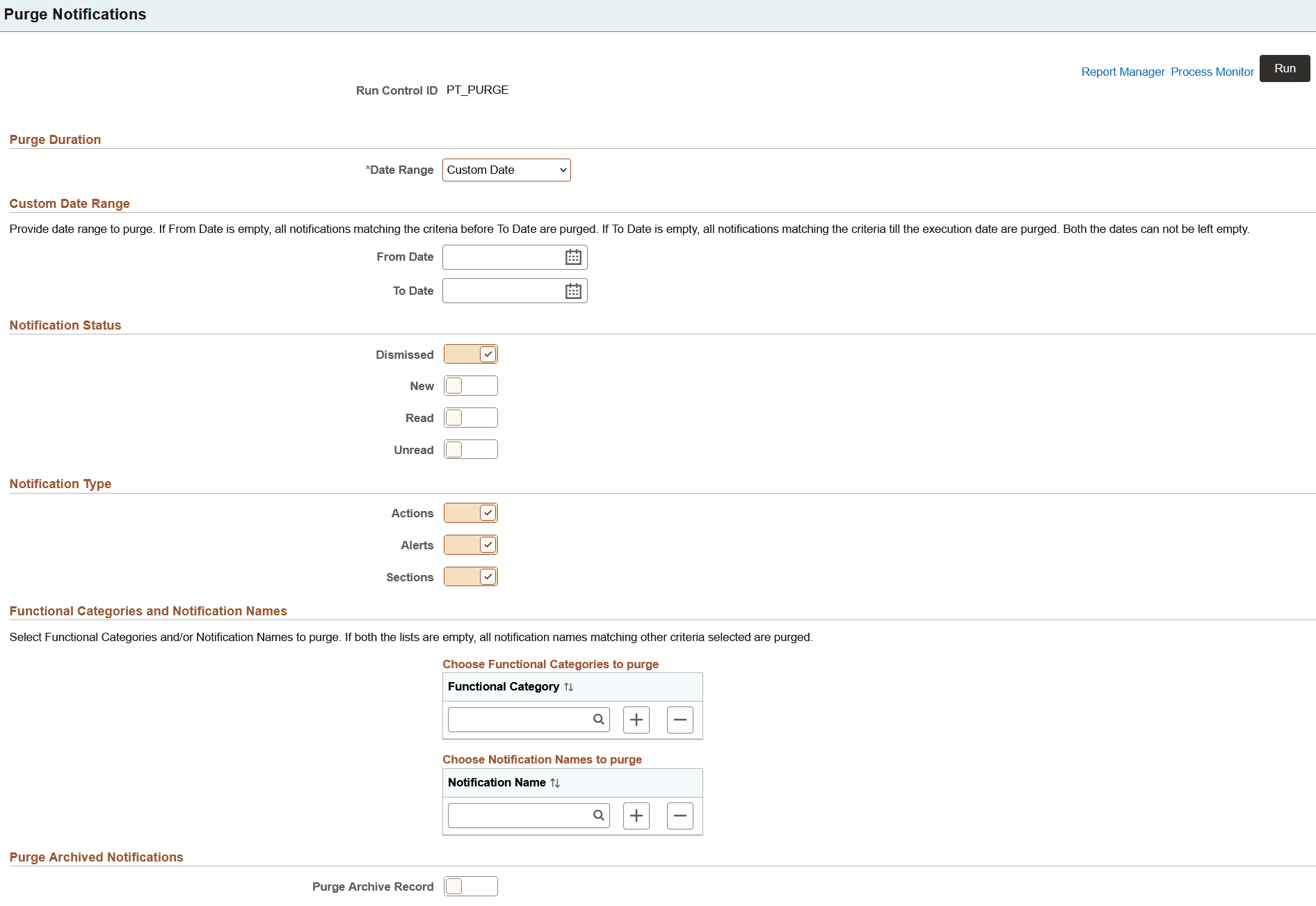
The Purge Notifications page enables you to purge the data based on the selected options. You can also use this page to schedule the purge process or set the recurrence of the process. When notifications are purged, the data is deleted from the notification table. Optionally, you can also select to purge data from the archive table.
Important:
You cannot retrieve purged data.
Navigation:
This example illustrates the fields and controls on the Purge Notifications page. You can find definitions for the fields and controls later on this page.
| Field or Control | Description |
|---|---|
|
Purge Duration |
Select a time duration to purge notification data:
|
|
Custom Date Range |
Set the period to purge data. |
|
Notification Status |
Select one or more notification statuses to purge:
|
|
Notification Type |
Select one or more notification types to purge:
|
|
Functional Category |
Select a specific functional-category notification for purging. Note: If no functional category is selected, notifications in all functional categories will be purged. |
|
Notification Name |
Select a specific notification for purging. Note: If no notification is selected, all notifications will be purged. |
|
Purge Archived Notifications |
Select this option to also purge notifications from the archive table (PSPTPN_ARCHIVE). |
|
Run |
Select the Run button to display the Process Scheduler Request page where you can schedule the purge process and set the recurrence of the process, if required. For more information, see Process Scheduler: Scheduling Process Requests and Process Scheduler: Defining Recurrence Definitions. |