Understanding Master/Detail Components
Master/detail components provides an approach for providing access to pages spanning multiple components, aggregating the navigation to the various pages all within a single master/detail component. Similar to classic WorkCenters, the pages accessible from within master/detail components are intended for a particular role, providing quick access to the components and pages used most frequently. In this regard, master/detail components provide WorkCenter-like functionality for fluid applications. Typically, the components and pages accessed from within master/detail components are not necessarily presented sequentially, as in there is no implied procedure or sequence for accessing the pages. Without the use of the master/detail construct, users would typically navigate to these components and pages separately via the Navigator menu as needed.
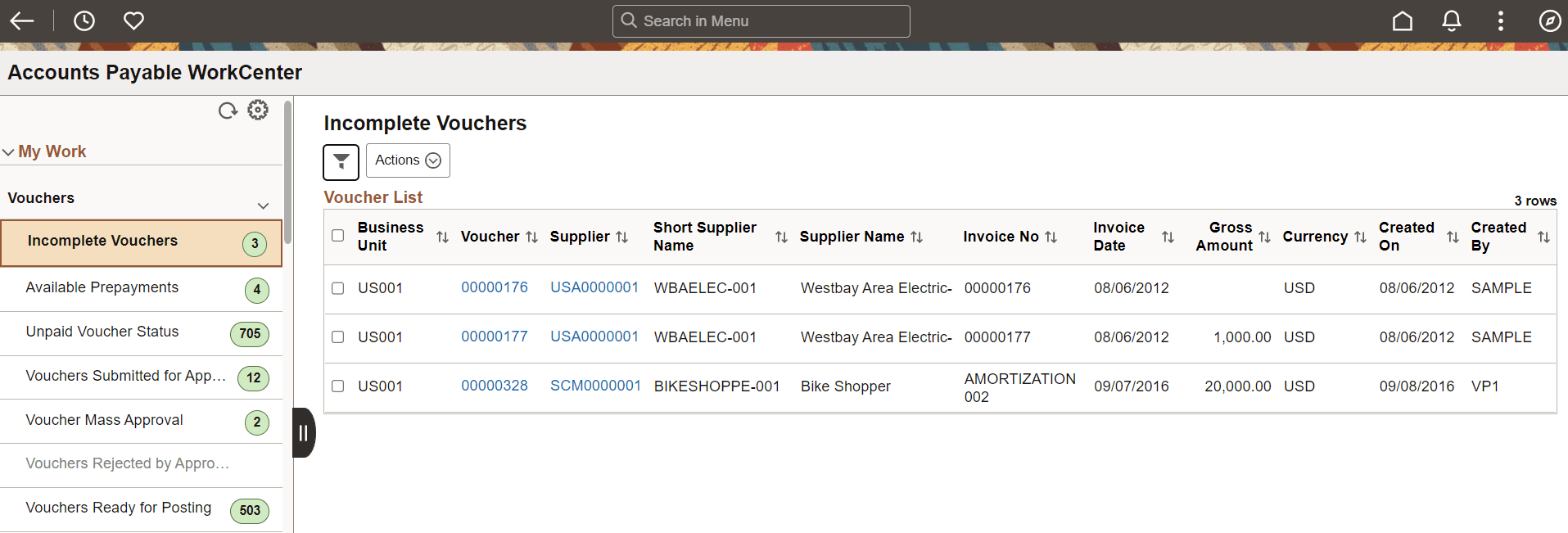
Example 4-1 Example of a Master/Detail Application
This example illustrates a master/detail application, the Accounts Payable WorkCenter. The left panel provides navigation while the target content is displayed on the right.