Adjusting Truncated Toolbar Buttons
After you add a new language you may find that images appear truncated on PeopleSoft toolbar buttons. To remedy truncated toolbar buttons, adjust the width of the styleclass.
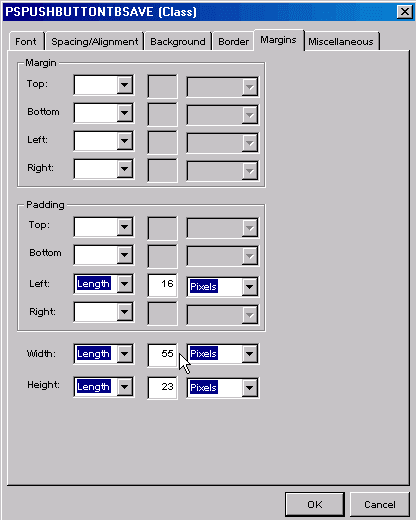
This example illustrates the fields and controls on the Margins tab for the PSPUSHBUTTONTBSAVE styleclass.
Note:
All styleclasses that relate to toolbar buttons start with PSPUSHBUTTONTB*.
To adjust truncated toolbar buttons:
-
Open the stylesheet that contains the truncated styleclass.
-
Open the styleclass.
-
Click the Margin tab.
-
In the Width field, adjust the values.