Defining Time Zones
Access the Time Zone IDs page ().
This example illustrates the fields and controls on the Time Zone IDs page: Time Zone Data tab. You can find definitions for the fields and controls later on this page.
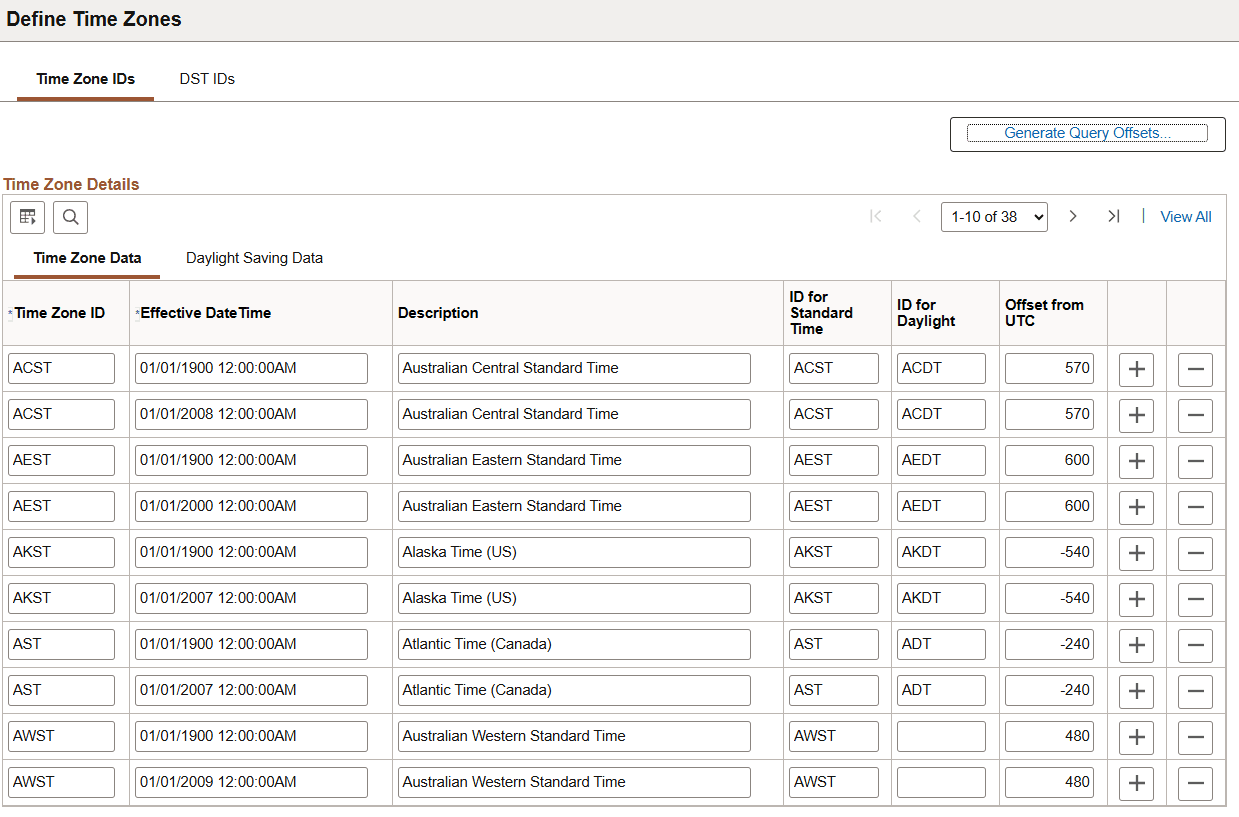
Time Zone Data Tab
| Field or Control | Description |
|---|---|
|
Time Zone ID |
Displays the name (or ID) for the time zone. |
|
Effective DateTime |
Displays the effective date and time for each time zone definition. |
|
Description |
Displays the description for the time zone ID. |
|
ID for Standard Time |
Displays the name for the time zone during standard time. |
|
ID for DST |
Displays the name for the time zone during daylight saving time. |
|
Offset from UTC |
Displays the number of minutes the time is offset from universal coordinated time (UTC, sometimes known as Greenwich mean time or GMT). A positive offset indicates a time zone east of UTC; a negative offset indicates a time zone west of UTC. For example, the time zone for India, which is 5 and a half hours east of UTC, has an offset of +330. U.S. pacific standard time (PST), which is 8 hours west of UTC, has an offset of -480. Note: There are two business use cases of GMT. GMT as used in the UK is synonymous with WET. It does observe DST, when the label is BST during summer time. GMT as used internationally is synonymous with UTC. It does not observe DST, and does not change the label. |
|
Generate Query Offsets |
Click to access the open the Time Zone Offset Generation page. On this page, you can use the information from the Time Zone IDs page to populate the PSTZOFFSET table with offsets for all the time zones and their daylight saving time periods for a specified period of time. This makes the time zone information available in a format that can be easily accessed with SQL. This may be useful for PeopleSoft Query. The PeopleSoft system does not require that you populate this table; you need to do so only if you require access to this information. If you do use the information, regenerate the offsets anytime the underlying time zone data is changed. |
Daylight Saving Data Tab
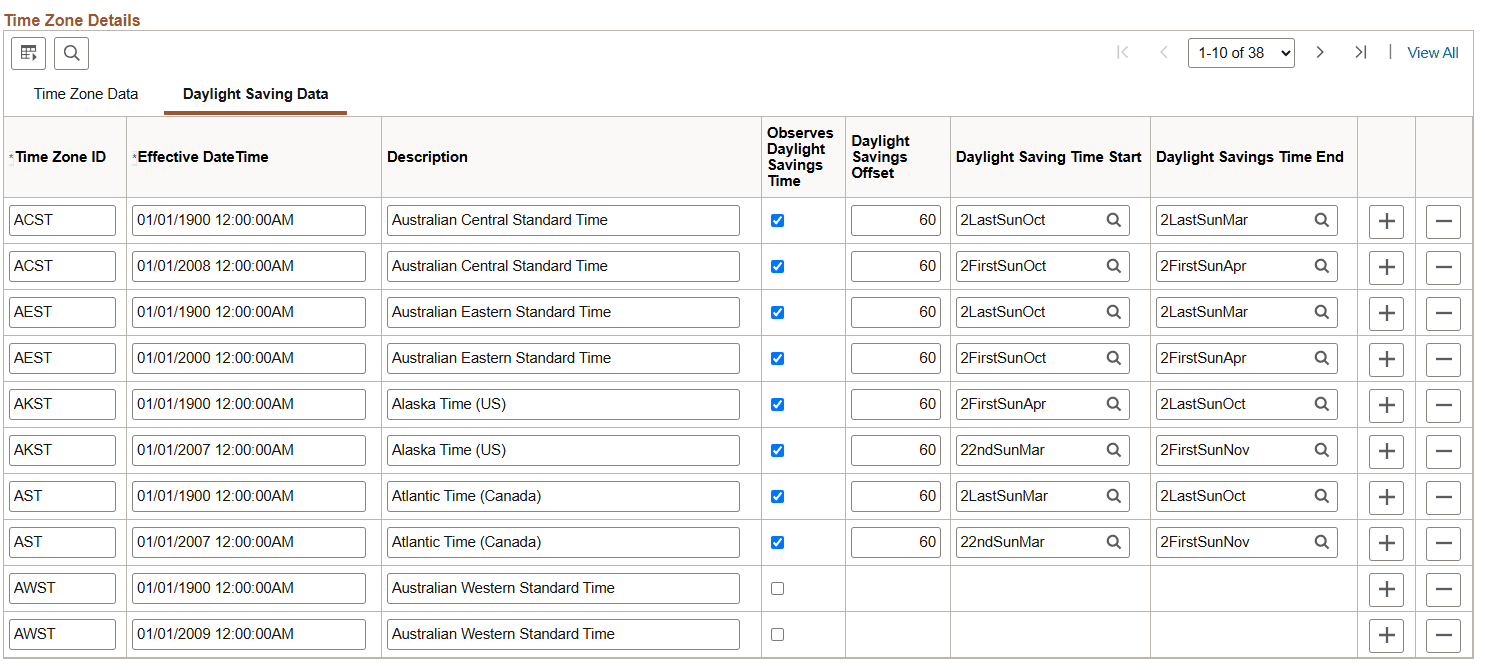
Select the Daylight Saving Data tab to view daylight saving offset information and the IDs specified for daylight saving time start and daylight saving time end.
Note:
When a timezone discontinues observing DST, special handling is required. This statement will audit for issues related to this type of change.
select count(*),timezone from (select distinct timezone,observedst from pstimezonedefn) group by timezone having count(*) > 1;
Any rows that are returned have both Y and N defined, which can cause issues when generating query offsets.
In this case, all rows OBSERVEDST should be Y, and timezones which have discontinued DST should have a DSTOFFSET of 0, and should have TIMEZONEDST label matching TIMEZONESTD label.
This example illustrates the fields and controls on the Time Zone IDs page: Daylight Saving Data tab. You can find definitions for the fields and controls later on this page.
| Field or Control | Description |
|---|---|
|
Observes DST |
Indicates whether the time zone observes daylight saving times. If this check box is cleared, the other DST values have no effect. |
|
DST Offset |
Displays the number of minutes by which the time is offset during daylight saving time. |
|
DST Start ID |
Displays the ID for when daylight saving time begins. This field prompts against values from the PSDSTTIME table (the DST IDs page). |
|
DST End ID |
Displays the ID for when daylight saving time ends. This field prompts against values from the PSDSTTIME table (the DST IDs page). |