Activity 4: Activating Pub/Sub Server Domains
In this activity you will activate the publication/subscription (pub/sub) server domain. The pub/sub server processes in the pub/sub server domain enable the system to process asynchronous service operations.
Prerequisites for Activating the Pub/Sub Server Domain
To activate the pub/sub server domains, the pub/sub server option in the PSADMIN domain configuration, 1.) Pub/Sub Servers, must be set to Yes.
Activating the Pub/Sub Server Domain
Use the Domain Status page to activate the pub/sub server domain. To access the page select
This example illustrates the Domain Status page before the pub/sub server domain is activated.
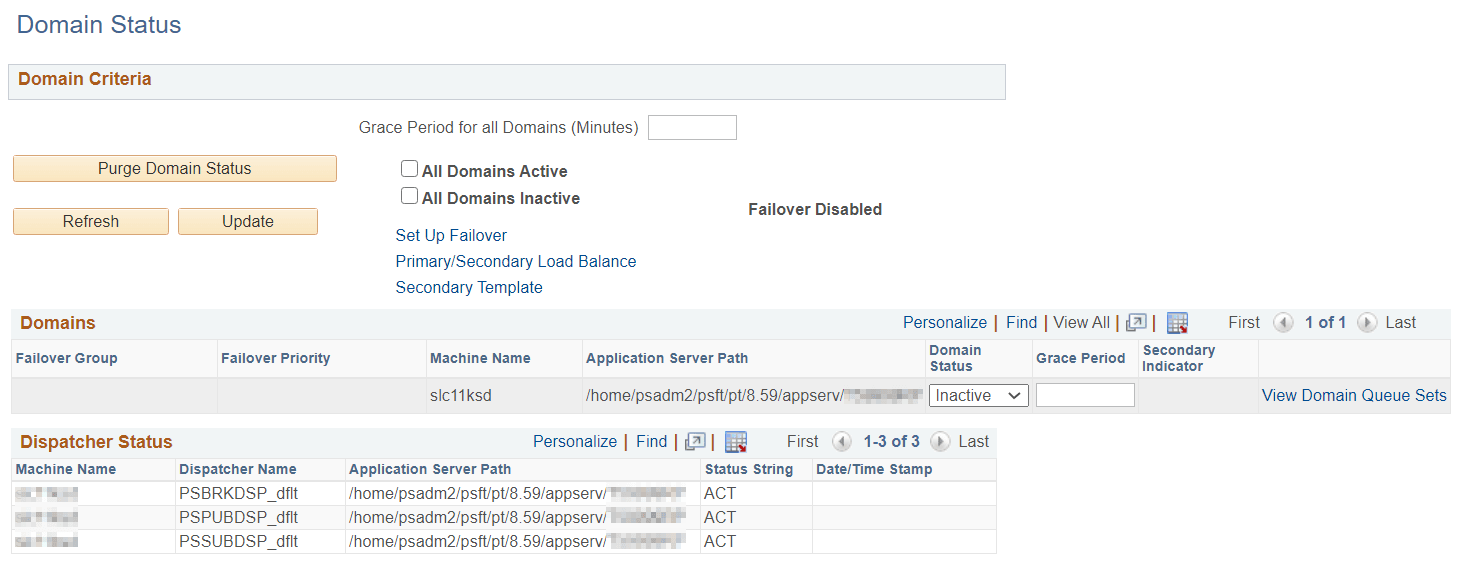
The Domains grid shows the machine name and the path to the application server on which the pub/sub server resides.
In the previous example, the pub/sub server domain is not active, as indicated by the Inactive value in the Domain Status field.
This example illustrates the Domain Status page when the pub/sub server domain is active.
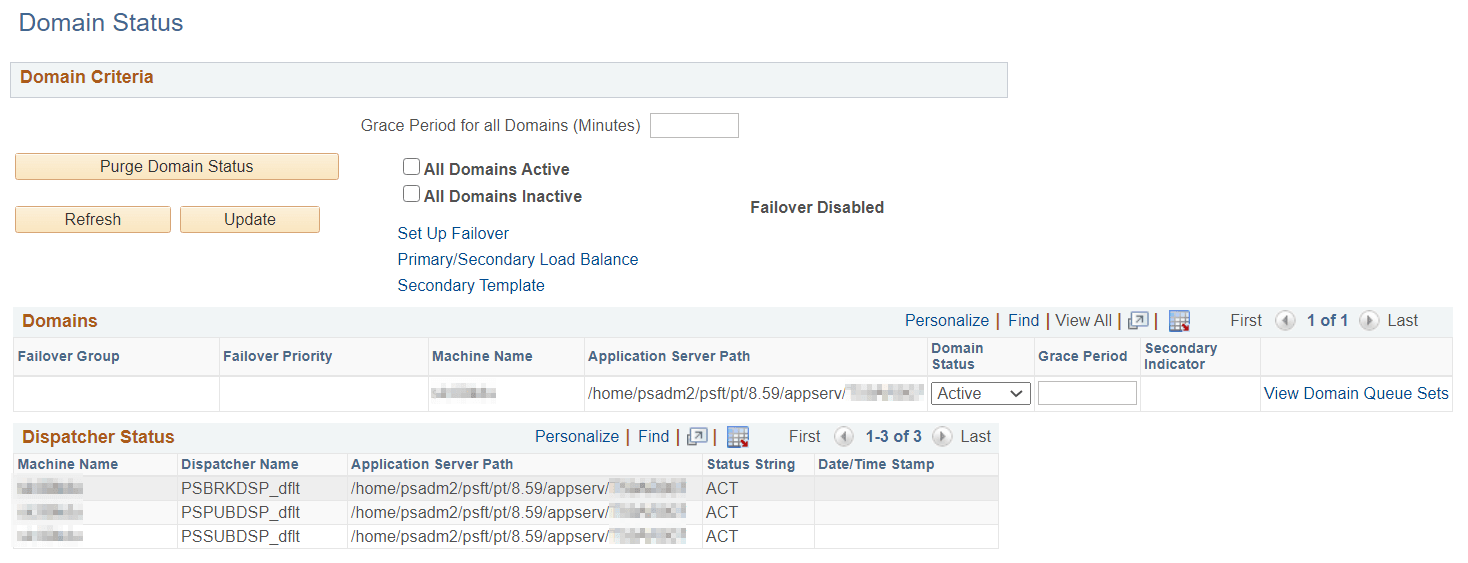
When you activate the domain, as the previous example illustrates, the pub/sub dispatcher server processes appear in the Dispatcher Status grid with an active (ACT) status.
To activate the pub/sub server domain:
-
Access the Integration Broker Configuration activity guide (.)
-
Click the Activate Domain link in the left navigation pane.
The Domain Status page appears.
-
From the Domain Status drop-down list, select Active.
-
Click the Update button.
-
Click the Refresh button.
Three dispatcher processes should appear in the Dispatcher Status grid with the status of active (ACT).
On occasion it may take a few moments for the processes to start. If the processes don’t immediately appear in the grid, wait a few moments and click the Refresh button again.
If the three processes appear in Dispatcher Status grid, but with the status of inactive (INACT), click the Update button.
Related Topics